


Intro
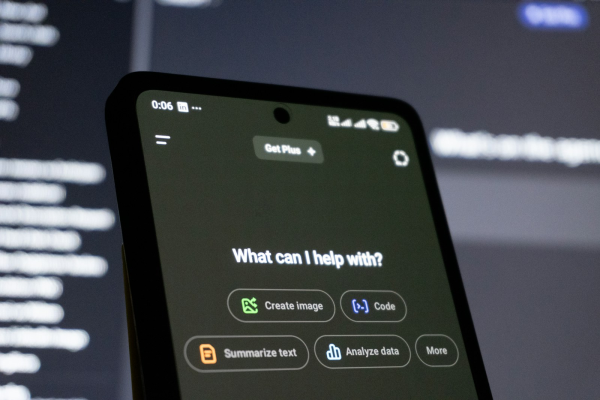
Artificial intelligence is transforming low-code and no-code development in 2026, making it faster and more accessible for entrepreneurs, freelancers, business professionals and aspiring developers to build functional applications without extensive programming knowledge. AI-powered copilots, natural-language prompts and automated app generators are changing how users design interfaces, create databases, automate workflows and deploy digital products. Leading platforms such as Bubble, Microsoft Power Apps, FlutterFlow and Google AppSheet are helping users translate business requirements into working applications while reducing the time spent on repetitive development tasks.
However, the real opportunity extends beyond building applications more quickly. As AI automates parts of the development process, valuable skills are shifting towards problem-solving, workflow design, data management, integration, testing and product strategy. For people looking to improve their career prospects in 2026, combining AI-assisted development with practical no-code expertise can open opportunities in digital transformation, business automation, freelance consulting and software product development. Understanding these tools, their limitations and how to use them effectively is becoming an important part of developing a future-ready digital skill set.
Lets Dive In
How AI Is Transforming Low-Code and No-Code Development in 2026
Low-code development combines visual development tools with the option to introduce custom code when greater flexibility is required. No-code development takes a more accessible approach, allowing users to build applications through visual interfaces, configurable components and pre-built integrations. Both approaches reduce the need to write every line of software manually.
Artificial intelligence is accelerating this evolution by enabling users to move from an initial idea to a working application through conversational instructions. Instead of manually configuring every screen, database field or automation rule, users can describe their requirements and allow an AI assistant to generate an initial implementation.
For example, a small business owner might want an application that records customer enquiries, assigns follow-up tasks, tracks sales opportunities and sends reminders when prospects have not received a response. An AI-powered no-code platform can help generate the initial data structure, user interface and workflow logic, which the owner can subsequently refine through visual editing and testing.
Although these capabilities are improving rapidly, AI cannot guarantee that an application will be complete or production-ready after a single prompt. Complex business rules, security requirements, third-party integrations and specialised user experiences still require careful design and validation. Nevertheless, AI is reducing the gap between having a software idea and producing a functional prototype.
From Visual Builders to AI-Powered App Generation
Traditional no-code development relies heavily on drag-and-drop editors, visual workflow builders and preconfigured templates. These tools remain valuable, but configuring complex interfaces, repetitive data structures and conditional business processes can consume considerable time.
AI introduces a more conversational development model. Users can explain what they want to build, describe their intended audience and specify the application’s core functionality. The platform can then generate components or recommend configurations that users modify within the visual editor.
This approach can accelerate interface creation, database planning, workflow configuration and documentation. AI assistants can also help explain unfamiliar settings, identify possible errors and suggest improvements when applications do not behave as expected.
For beginners, this creates a more accessible entry point into software development. Someone building a customer booking system does not need to understand every technical detail before producing an initial version. They can begin with a clear business requirement, generate a prototype and learn the underlying concepts while improving the application.
For experienced low-code developers, the benefits are different. AI can reduce repetitive configuration work and create more time for architecture, integrations, performance optimisation and user experience.
Why Natural-Language Prompts Matter
Natural-language app development allows users to communicate requirements in ordinary language rather than relying exclusively on menus, configuration panels or programming syntax.
A prompt such as “Create a dashboard showing monthly revenue, outstanding invoices and overdue customer payments, with filters for account manager and reporting period” provides an AI assistant with a starting point for generating a relevant interface and supporting logic.
The quality of the result depends on how clearly the requirements are expressed. Broad instructions can produce generic applications, whereas specific prompts describing users, permissions, data fields, workflows and expected outcomes are more likely to generate useful results.
Prompt engineering is therefore becoming an important skill for AI-assisted development. Users must break complex problems into manageable requirements, identify dependencies, recognise incorrect assumptions and refine the generated output through repeated testing.
The most effective developers are not necessarily those who write the longest prompts. They are those who understand the problem well enough to give AI precise instructions and evaluate whether the resulting application actually solves it.
Leading AI-Powered No-Code Platforms to Watch in 2026
The growing number of AI app builders reflects the different ways organisations approach digital development. Some platforms specialise in generating complete web applications, while others focus on enterprise workflows, mobile development or business data. Choosing the right low-code or no-code platform depends on the application’s purpose, the user’s existing skills and the level of customisation required.
Bubble: AI-Powered Web Application Development
Bubble is an established no-code platform for building interactive web applications, customer portals, marketplaces and software-as-a-service products. Its AI app-building capabilities help users turn written descriptions into initial application structures, while its visual editor provides control over interfaces, databases and business logic.
For example, an entrepreneur developing a subscription-based booking service could use AI to generate an initial application with customer registration, appointment listings and an administrative dashboard. The founder could then customise pricing rules, user permissions and payment integrations before testing the service with potential customers.
Bubble is particularly relevant to aspiring founders and freelancers because it provides a route from a basic concept towards a more developed digital product. However, generating an initial application is only the beginning. Successful products still require user research, reliable data structures, secure payment processing and ongoing maintenance.
Microsoft Power Apps: Enterprise Low-Code Development
Microsoft Power Apps demonstrates how AI-assisted development can support business process automation and enterprise digital transformation. Its Copilot capabilities can help users create applications from natural-language descriptions, work with data structures and refine selected application components, depending on the available features and configuration.
A facilities management team, for example, could develop an application for recording maintenance requests, allocating work to technicians and monitoring outstanding tasks. By combining Power Apps with appropriate Microsoft services, an organisation can connect application development with existing business processes.
This approach is particularly valuable for professionals working in operations, administration, business analysis and IT support. Learning Power Apps can help them identify inefficient processes and build solutions that improve how information moves through an organisation. Understanding permissions, data governance and integration requirements remains essential, especially when applications handle confidential business information.
FlutterFlow: AI-Assisted Mobile App Creation
FlutterFlow provides a visual environment for building mobile and web applications using Flutter. Its AI-assisted development capabilities can help users create interface components and accelerate parts of the design process, while its visual editor supports further customisation and integration.
A freelancer might use FlutterFlow to prototype an appointment-booking application for a fitness instructor, including customer profiles, booking forms and connections to a backend service. The freelancer can develop the initial interface more quickly, then focus on usability, device compatibility and reliable data handling.
FlutterFlow is useful for learners who want to move beyond simple business tools towards mobile product development. It also offers a potential bridge into more technical work because Flutter and Dart knowledge can become valuable when an application requires custom functionality.
Google AppSheet: Business Data and Workflow Automation
Google AppSheet focuses on building applications around business data and operational processes. It is particularly useful for organisations that want to transform spreadsheet-based procedures into structured applications for inventory management, inspections, field reporting and task tracking.
For example, a small distributor could develop an inventory application that records deliveries, updates stock information and flags products that need replenishing. AI-assisted capabilities available within supported Google experiences can help simplify selected aspects of application creation and automation.
AppSheet is an accessible starting point for professionals who want to improve existing workflows without undertaking a complete software development project. Its greatest value often comes from organising information and automating routine processes rather than creating a complex consumer-facing product.
How AI Copilots Accelerate the Application Development Lifecycle
AI-powered no-code development can improve several stages of the software development lifecycle, from initial planning to deployment and maintenance. Understanding these stages helps users recognise where automation provides genuine value and where human expertise remains essential.
Faster Prototyping and Minimum Viable Products
A minimum viable product, commonly known as an MVP, is an early version of an application that contains enough functionality to test a business idea with real users. Traditional development can require considerable time for interface design, database planning, programming, integration and testing.
AI-assisted app generation can shorten the initial process by creating draft screens, common data structures and basic workflows from written requirements. A founder building an online learning platform, for example, could begin with course listings, learner registration, progress tracking and an administrator dashboard.
The founder can then test the concept with a small audience, gather feedback and refine the application before investing in more advanced functionality. This makes it easier to explore several ideas and identify which features users actually value.
However, faster prototyping does not automatically guarantee lower total costs. Hosting, platform subscriptions, integrations, testing and future maintenance must still be considered. The commercial advantage comes from learning more quickly and avoiding unnecessary investment in ideas that have not been validated.
Automated Workflow and Business Logic Creation
Business applications often depend on rules that determine what happens when a customer submits a form, an invoice becomes overdue or a task reaches a particular stage. Configuring these workflows manually can be time-consuming when several conditions and actions must interact.
AI assistants can help translate written requirements into proposed workflow steps. A customer support application might classify incoming enquiries, assign priorities, notify the relevant team and update a reporting dashboard.
This capability can be valuable for small businesses seeking to reduce repetitive administration. Nevertheless, automated workflows must be tested for exceptions, duplicate records, incorrect assignments and failed notifications. Human oversight remains important whenever automation affects customers, payments or important business decisions.
Improved Database Design and Data Management
AI can help users plan the structure of an application’s database by suggesting tables, fields and relationships based on the information that needs to be stored.
A recruitment application, for instance, might require separate records for candidates, vacancies, applications, interviews and hiring managers. An AI assistant can propose an initial structure and help identify how these records relate to one another.
The developer must still consider data accuracy, duplicate records, access permissions, retention requirements and future changes. Learning database fundamentals is therefore valuable even when AI generates much of the initial configuration.
Faster Troubleshooting and Continuous Improvement
AI copilots can explain unfamiliar settings, suggest possible fixes and help users refine existing applications. Instead of searching through extensive documentation for every issue, learners can describe a problem, examine a proposed solution and test whether it resolves the underlying cause.
This can make learning less frustrating for beginners while helping experienced developers reduce repetitive troubleshooting. However, AI suggestions should be checked carefully because a change that resolves one error may introduce another.
The most effective approach is iterative development: generate an initial version, inspect its behaviour, test important scenarios, correct errors and document the changes. AI accelerates this process without eliminating the need for technical understanding.
Real-World Benefits Across Different Industries
The strongest use cases for AI-powered no-code development emerge when the technology addresses a clearly defined business problem. The ability to generate an application quickly is useful, but the real value comes from improving a process, reducing unnecessary work or making a service easier to access.
Small Businesses and Solopreneurs
Small businesses frequently rely on spreadsheets, email and disconnected software to manage daily operations. AI-powered no-code platforms can help bring these activities together through customised dashboards, booking systems and customer management applications.
A consultancy, for example, could create a client portal that tracks enquiries, project deadlines and outstanding actions. AI can accelerate the initial development, while the owner adapts the application to match the company’s actual workflow.
The financial benefit may include reduced administrative effort and less dependence on multiple software subscriptions. However, businesses should compare the full cost of developing and maintaining a custom application with the cost of established software before committing to a solution.
Freelancers and Digital Agencies
Freelancers can expand their services beyond conventional website design by learning to build booking systems, customer portals, dashboards and automated workflows. These services can help clients solve specific operational problems rather than simply establish an online presence.
A web designer who learns Bubble or FlutterFlow could begin offering interactive digital products to small businesses. AI can speed up initial development, while the freelancer provides requirements analysis, customisation, testing and ongoing support.
This creates opportunities to sell business outcomes rather than simply hours of development. However, professionals must price projects realistically and ensure that generated applications meet the client’s security, usability and maintenance requirements.
Enterprise Digital Transformation
Large organisations often have specialised processes that generic software does not address adequately. Low-code platforms can help departments develop applications for procurement, employee onboarding, compliance, facilities management and operational reporting.
AI copilots can help business analysts translate process descriptions into prototypes that stakeholders can evaluate. Technical specialists can then concentrate on integrations, architecture, governance and deployment requirements.
This collaborative approach can improve communication between business teams and IT departments. Nevertheless, enterprise applications require careful attention to identity management, audit trails, data protection and access controls before they are deployed at scale.
The Risks and Limitations of AI-Powered App Builders
Despite their advantages, AI app generators cannot guarantee that an application will be secure, reliable or suitable for production. A convincing demonstration may conceal problems with data handling, permissions, performance or business logic.
Security is a particularly important consideration. Applications may contain customer information, employee records or confidential business documents. Developers must understand authentication, authorisation, data validation and secure integrations, and should verify how their chosen platform stores and processes information.
AI can also generate incorrect calculations, incomplete workflows or database structures that fail to reflect actual business requirements. Testing must therefore cover normal usage, unexpected inputs and failure scenarios. Applications supporting sensitive or business-critical activities may require specialist review before deployment.
Platform dependency is another concern. Applications built around proprietary components may be difficult to move elsewhere, while subscription costs can increase as usage grows. Before selecting a platform, developers should investigate data export options, integration capabilities, backup procedures and long-term pricing.
Ultimately, AI should be treated as a development assistant rather than an autonomous replacement for technical accountability. The ability to evaluate generated output is just as important as the ability to produce it.
Skills Development: What to Learn for AI-Assisted No-Code Development
As AI automates parts of implementation, the most valuable skills increasingly involve defining problems, evaluating solutions and ensuring that applications work as intended.
Prompt Engineering and Requirements Analysis
Effective AI-assisted development begins with clear requirements. Learners should practise identifying intended users, defining the problem, specifying essential features and breaking complicated requests into smaller tasks.
Instead of asking an AI builder to create a generic sales application, a developer should describe customer records, sales stages, reporting requirements, user permissions and notification rules. More precise instructions make it easier to evaluate the generated application against the intended outcome.
Requirements analysis is valuable across multiple industries because it connects technical solutions with actual business needs. It also helps learners transfer their skills between different AI app builders.
Database Management and Workflow Automation
Understanding data structures, relationships, validation and conditional logic helps developers recognise errors in AI-generated applications. These fundamentals are important whether someone is building a simple inventory tracker or a more complex customer management system.
Learners should also practise connecting applications to APIs, configuring automated workflows and managing errors. These skills make it possible to create solutions that interact reliably with existing business systems.
User Experience, Testing and Security
AI can generate an initial interface, but successful applications must remain intuitive, accessible and reliable. Learners should develop skills in navigation design, responsive layouts, form usability and accessibility testing.
They should also learn how to test permissions, validate information, investigate errors and maintain applications after deployment. These capabilities help distinguish a functional prototype from a dependable product.
Building a Portfolio Through Online Learning
Online courses provide a structured way to develop these capabilities while practising with real development tools. Learners can follow guided exercises, complete projects and apply new techniques to applications that address practical problems.
A portfolio might include a booking system, an inventory dashboard, a customer relationship management application or an automated employee onboarding workflow. Each project should demonstrate not only the finished interface but also the reasoning behind the design, the underlying data structure and the testing process.
Explaining how AI was used, what required correction and how the final application was validated can provide stronger evidence of competence than displaying generated screens alone.
Career Opportunities in AI-Powered No-Code Development
AI-assisted low-code development is relevant to business analysts, operations specialists, digital consultants, freelance developers and aspiring entrepreneurs. These roles can benefit from people who understand how to translate business requirements into working digital solutions.
Business analysts can use visual application tools to prototype workflows and support process improvement. Operations professionals can automate repetitive administrative tasks, while freelancers can develop customised applications for clients. Entrepreneurs can use AI app builders to test software ideas before committing to more extensive development.
More technical professionals can combine low-code expertise with API development, database management and conventional programming to solve problems that visual tools cannot handle independently.
These opportunities do not guarantee employment or a particular income. However, practical project experience, relevant platform knowledge and the ability to demonstrate measurable business value can strengthen a candidate’s position in an increasingly AI-enabled digital economy.
Recommended Online Courses to Build AI-Powered No-Code Development Skills in 2026
The following courses provide complementary pathways into AI-assisted app generation, low-code business applications and practical application development. They are offered through three different online learning platforms.
Mastering Microsoft Power Apps 2026: From Zero to Hero
Platform: Udemy
Level: Beginner to intermediate
Focus: Low-code application development, business workflow automation, data integration and application maintenance
This practical course introduces Microsoft Power Apps through hands-on development, covering interfaces, forms, controls, connectors, variables and integration with Microsoft services. Learners build projects such as an expense tracker and an absence management application, developing skills that can be applied to real business processes.
The course has been listed with a rating of 4.6/5, more than 8,000 ratings and over 44,000 learners, with a March 2026 update. Check the current listing to confirm its latest rating, availability and curriculum.
View Course: Mastering Microsoft Power Apps 2026
AI for App Building
Platform: Coursera
Level: Beginner
Focus: Natural-language app generation, AI-assisted prototyping and practical application development
This introductory course explores how AI can help turn ideas into applications using natural-language instructions and Google AI Studio. Learners identify a workplace problem, practise generating applications and develop a solution tailored to a practical task.
It is particularly suitable for professionals who want to explore AI-powered app development without beginning with traditional programming. Learners can extend the experience by building a portfolio project and testing it against real user requirements.
View Course: AI for App Building on Coursera
Building Apps with AI
Platform: Udacity
Level: Beginner
Focus: AI-generated applications, responsible app building, security considerations and deployment approaches
This course introduces AI-assisted application development for learners without a traditional programming background. It explores how to use AI to build applications while considering the intended audience, security requirements, data handling and appropriate deployment approaches.
The course provides a short introduction to AI app building and can serve as a starting point for learners who want to explore more advanced no-code platforms and practical projects.
View Course: Building Apps with AI on Udacity
Preparing for the Future of Low-Code and No-Code Development
The next stage of low-code development will likely involve closer integration between natural-language interfaces, AI agents, business data and automated workflows. As these capabilities mature, users may be able to describe broader business objectives and delegate more of the implementation process to AI systems.
However, more automation will also increase the importance of governance, testing, security and ongoing maintenance. Organisations will need people who can determine which processes should be automated, establish appropriate safeguards and evaluate whether AI-generated solutions deliver the expected results.
For learners, the most effective preparation is to combine platform-specific training with transferable skills. Understanding databases, APIs, business processes, user experience and testing makes it easier to adapt as individual tools evolve.
Online learning can support this process through practical courses, platform documentation and project-based exercises. The objective should be to develop the ability to build, evaluate and improve useful applications rather than simply accumulate certificates or rely on automated generation.
Final Thoughts
AI is supercharging no-code development in 2026 by making application creation faster, more accessible and increasingly conversational. Platforms such as Bubble, Microsoft Power Apps, FlutterFlow and Google AppSheet demonstrate how AI-assisted generation can accelerate interface design, database creation, workflow automation and prototyping. These capabilities give businesses, freelancers and entrepreneurs new ways to test ideas, improve operations and develop digital services without relying exclusively on traditional software development.
However, generated applications still require sound requirements analysis, data management, security, testing and human judgement. For people looking to upskill, the strongest opportunity lies in combining AI prompting with practical no-code expertise, workflow automation and an understanding of business needs. Through structured online courses, hands-on projects and portfolio development, learners can build relevant digital skills and explore new career or freelance opportunities. In 2026, the real competitive advantage will belong to those who can turn AI-generated solutions into reliable, useful applications that solve genuine problems.