


Intro
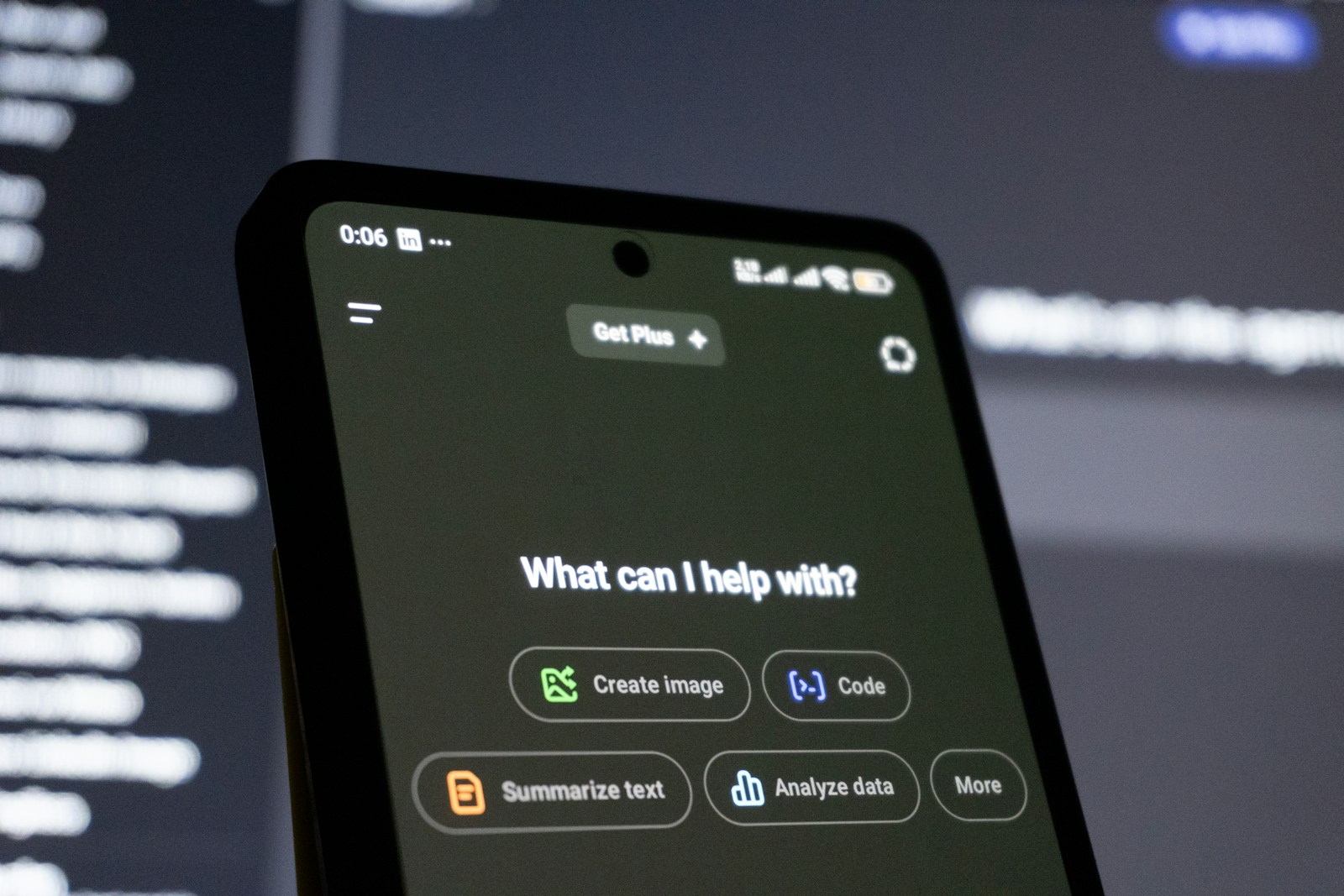
Artificial intelligence is transforming software engineering as developers increasingly use GPT-powered coding assistants, AI-enabled editors and autonomous coding agents alongside traditional integrated development environments (IDEs). Tools such as ChatGPT, GitHub Copilot, Cursor and Windsurf can generate code, explain unfamiliar functions, identify potential bugs and automate repetitive programming tasks. Meanwhile, established IDEs such as Visual Studio, IntelliJ IDEA and Visual Studio Code continue to provide essential capabilities for debugging, testing, version control and managing complex software projects. In 2026, the question is no longer whether AI belongs in software development, but how developers can integrate it effectively without compromising code quality, security or maintainability.
Comparing GPT code tools with traditional IDEs reveals important differences in efficiency, accuracy and developer satisfaction. AI-assisted coding can accelerate routine tasks and reduce the time required to explore unfamiliar technologies, but generated code still requires verification, testing and human judgement. Traditional IDEs provide a structured environment for controlling the development process, although their effectiveness increasingly depends on the extensions and automation tools available. For aspiring software engineers and experienced developers alike, understanding both approaches is becoming an important professional skill. Online learning offers a practical route to developing AI-assisted programming techniques, strengthening software engineering fundamentals and preparing for the evolving demands of the technology industry.
Lets Dive In
Understanding GPT Code Tools and Traditional IDEs
What Are GPT-Powered Coding Tools?
GPT code tools use large language models and related AI technologies to interpret natural-language instructions, analyse programming context and generate code suggestions. Rather than requiring developers to write every instruction manually, these tools can produce functions, explain algorithms, suggest refactoring improvements and help diagnose errors.
ChatGPT can assist with programming questions, code reviews, debugging and architectural discussions. GitHub Copilot integrates AI assistance directly into supported development environments, while Cursor and Windsurf offer AI-centred coding workflows designed to work across multiple files and larger projects.
Some modern tools also support agentic workflows, allowing an AI system to plan changes, modify files, run commands and attempt to resolve problems with varying levels of human supervision. These capabilities can accelerate implementation, but their effectiveness depends on the quality of the available project context, the complexity of the task and the permissions granted.
The distinction between AI coding tools and traditional development environments is becoming less clear. Many established IDEs now include AI assistants, while AI-focused editors retain familiar features such as syntax highlighting, terminals, debugging and version control. Software engineers therefore increasingly choose between different levels of AI integration rather than between entirely separate categories of software.
What Do Traditional Integrated Development Environments Offer?
A traditional integrated development environment provides a structured workspace for writing, building, testing and maintaining software. Visual Studio, IntelliJ IDEA, PyCharm and Visual Studio Code support programming workflows through features such as syntax highlighting, code completion, navigation, debugging, integrated terminals and extensions.
These tools help developers understand how a codebase is organised and identify errors through language-specific analysis, compiler feedback, test execution and debugging tools. Their behaviour is generally more deterministic than that of a generative AI assistant, although results still depend on configuration, dependencies and the quality of the underlying tools.
Traditional IDEs also provide direct access to project files, build configurations, version control systems and development environments. This is particularly valuable in enterprise software engineering, where developers must maintain complex applications, comply with coding standards and collaborate across teams.
The growing integration of AI means that developers can retain these established workflows while introducing intelligent assistance where it provides measurable benefits.
GPT Code Tools vs. Traditional IDEs: Efficiency and Productivity
Accelerating Routine Programming Tasks
One of the strongest advantages of GPT coding tools is their ability to reduce repetitive work. Developers can use natural-language prompts to generate boilerplate code, create basic functions, draft documentation and produce initial versions of unit tests.
For example, a developer building a web application might ask an AI assistant to generate a data-validation function, explain its assumptions and suggest test cases for invalid inputs. The developer can then inspect the output, adapt it to the project and run the relevant tests.
Traditional IDEs remain effective for routine programming through templates, snippets, refactoring tools and intelligent autocomplete. However, AI assistants can handle more descriptive requests, potentially reducing the number of manual steps required to produce an initial implementation.
The productivity advantage is not universal. An AI-generated function may require substantial correction if the prompt is vague or the codebase contains unusual constraints. Developers must measure the time required to reach a correct, maintainable result rather than simply counting how quickly code appears on screen.
Improving Debugging and Code Understanding
GPT-powered tools can help developers investigate unfamiliar code by explaining functions, identifying possible causes of errors and suggesting alternative implementations. This can be especially useful when joining an existing software team or working with an unfamiliar framework.
A developer investigating an API integration problem could provide the relevant error message, request explanation of the likely causes and ask for a structured debugging approach. The assistant may suggest checking authentication, request formatting, dependency versions or response handling.
Traditional IDEs complement this process through breakpoints, stack traces, variable inspection, logging and execution profiling. These tools reveal what the program is actually doing, while AI assistants offer hypotheses about why a problem might occur.
Combining both approaches is often more effective than relying exclusively on either. AI can accelerate investigation, while debugging tools provide evidence that confirms or rejects proposed explanations.
Does AI-Assisted Coding Deliver Real Productivity Gains?
The 2026 Stack Overflow Developer Survey reflects the growing integration of AI into professional software development. Coding assistants and agents are now among the dominant applications of AI reported by respondents, and many developers use them daily. Respondents also report particularly strong usefulness for implementation, debugging and refactoring.
However, individual productivity does not automatically translate into faster delivery across an entire organisation. Code generated quickly may create additional work during review, testing, integration or maintenance. Teams may also need to invest in AI policies, security controls and workflow changes before the benefits become consistent.
A practical way to evaluate efficiency is to compare similar tasks with and without AI assistance. Developers can measure implementation time, defect rates, review effort and the time required to resolve issues after release.
For example, if AI reduces initial implementation time by 20 minutes but adds 15 minutes of review and correction, the net saving is only five minutes. Across a large number of repetitive tasks, even modest improvements may be valuable, but the results should be measured rather than assumed.
Accuracy, Code Quality and Reliability
The Risk of Incorrect AI-Generated Code
AI coding assistants can produce plausible-looking code that contains logical errors, incorrect assumptions or outdated API usage. The output may appear professional while failing under specific inputs or unusual operating conditions.
Common problems include incorrect error handling, insecure authentication logic, missing validation, inefficient database queries and dependencies on functions that do not exist in the stated library version. AI systems can also overlook important project requirements when their context is incomplete.
Traditional IDE features help identify certain classes of errors through syntax checking, static analysis, type checking and compiler feedback. However, these capabilities do not guarantee that a program implements the correct business logic or behaves safely in every scenario.
Developers should treat generated code as a proposed implementation rather than an authoritative solution. Reviewing the logic, running tests and examining security implications remain essential parts of professional software engineering.
Testing and Verification in AI-Assisted Development
Automated testing is one of the most important safeguards when using GPT code tools. AI can help draft unit tests, identify potential edge cases and suggest test scenarios, but generated tests must also be reviewed for correctness.
A test suite may pass because it fails to examine the conditions that cause a real defect. For example, a generated test could verify that a payment function returns a successful response without checking whether the transaction amount, currency or authorisation status is handled correctly.
Traditional IDEs support debugging and test execution, while continuous integration pipelines can run tests whenever developers submit changes. Static analysis, dependency scanning and security testing provide additional layers of protection.
A reliable workflow combines AI-generated suggestions with independent verification. Developers should understand what each test proves, inspect unexpected behaviour and ensure that important requirements are covered before code is approved for production.
Security, Privacy and Intellectual Property
AI-assisted coding introduces security and governance questions that organisations must address. Developers may unintentionally submit proprietary source code, credentials, customer information or confidential architecture details to an external service.
The risks depend on the tool, account configuration, contractual arrangements and data-handling policies. Organisations should review vendor terms, configure access controls and establish clear rules about what information can be shared.
AI-generated code also requires scrutiny for insecure patterns, unsuitable dependencies and potential licensing concerns. Developers remain responsible for ensuring that the final implementation complies with applicable policies and legal obligations.
Traditional IDEs are not automatically secure simply because they do not generate code. Security still depends on development practices, extension permissions, dependency management, access controls and the handling of sensitive information.
The strongest approach combines appropriate AI governance with established secure software development practices.
Developer Satisfaction and the Changing Coding Experience
Reducing Repetitive Work and Supporting Creativity
Many developers value AI tools because they can reduce repetitive coding tasks and make unfamiliar technologies easier to explore. Assistance with documentation, test scaffolding and routine refactoring can leave more time for architectural decisions, complex problem-solving and collaboration.
For junior developers, AI explanations can help clarify programming concepts and provide examples of unfamiliar syntax. Experienced engineers may benefit from using AI to compare implementation approaches or investigate alternative solutions.
However, satisfaction depends on how reliably the tool supports the task. An assistant that repeatedly generates almost-correct code can interrupt concentration and create additional debugging work. Developers may also become frustrated when AI suggestions do not reflect the project’s architecture or established conventions.
The objective should be to make programming more effective, not simply to maximise the volume of AI-generated code.
Trust, Confidence and Professional Autonomy
Developer satisfaction is also influenced by trust. The 2025 Stack Overflow Developer Survey found that 46% of respondents distrusted the accuracy of AI output, compared with 33% who trusted it. The survey also highlighted frustration with suggestions that were nearly correct but still required significant correction.
These findings illustrate why widespread adoption does not necessarily mean that developers are comfortable delegating important decisions to AI. Software engineers remain accountable for the behaviour, security and maintainability of the applications they produce.
Some developers may also feel pressured to use AI even when it offers limited benefits for their particular work. Measuring performance through AI usage alone can encourage unnecessary automation rather than better engineering outcomes.
Organisations should allow developers to choose appropriate tools for the task and evaluate performance through quality, delivery, reliability and collaboration.
Collaboration and Team Workflows
Traditional IDEs support established team practices through version control, code navigation, debugging and integrations with issue-tracking and continuous integration systems. AI assistants can strengthen these workflows by drafting documentation, summarising changes and helping developers prepare code reviews.
However, AI-generated changes still need to be understandable to colleagues. Large automated modifications can make reviews more difficult when the developer cannot explain why the changes were made.
Teams should establish standards for AI-assisted contributions, including documentation requirements, testing expectations and human approval. These practices help maintain accountability while allowing developers to benefit from automation.
Comparing Popular AI Coding Tools and Traditional IDEs
ChatGPT for Software Engineering
ChatGPT can support software engineers with code generation, debugging explanations, algorithm design, documentation and technical research. Its conversational interface is useful when a developer needs to explore a problem before making changes to a project.
Unlike a conventional IDE, ChatGPT does not inherently provide the complete local development environment, compiler integration and debugging controls of a fully configured IDE. Its effectiveness therefore depends on the available tools and integrations.
A practical workflow is to use ChatGPT to explore implementation options, then transfer the selected approach into an IDE for development, testing and verification.
GitHub Copilot
GitHub Copilot integrates AI assistance into supported editors and development environments. It can provide code completions, respond to programming questions, generate tests and assist with refactoring.
Its principal advantage is the ability to incorporate AI assistance into an existing workflow. Developers can receive suggestions while working directly with project files rather than repeatedly moving between separate applications.
Nevertheless, Copilot’s suggestions can be incomplete or incorrect. Developers should review changes, execute tests and ensure that the output follows the project’s coding standards.
Cursor and Windsurf
Cursor and Windsurf are AI-focused development environments designed to support coding across multiple files and broader project contexts. Their capabilities can include code generation, codebase search, editing assistance and agent-style workflows.
These features can be useful for developers working on unfamiliar repositories or implementing changes that span multiple components. However, complex modifications may introduce unintended side effects, particularly when the assistant misunderstands dependencies or project requirements.
Developers should use version control, inspect diffs and test changes incrementally. AI-driven automation is most valuable when it remains transparent and reversible.
Visual Studio, IntelliJ IDEA and Visual Studio Code
Traditional IDEs remain important because they provide control over the software development lifecycle. Visual Studio is widely used for .NET and C++ development, IntelliJ IDEA supports Java and related technologies, and Visual Studio Code offers a flexible editor with a broad extension ecosystem.
Their strengths include debugging, project navigation, language support and integration with build and testing systems. AI extensions can add code generation and conversational assistance without requiring developers to abandon familiar workflows.
For many software engineers, an AI-enabled traditional IDE offers a practical middle ground: the control of established development tools combined with assistance for repetitive or exploratory tasks.
How to Choose the Right Coding Environment in 2026
The best choice depends on the project’s complexity, the developer’s experience and the organisation’s security requirements.
AI-assisted coding is particularly useful when generating boilerplate, drafting tests, explaining unfamiliar code and exploring implementation alternatives. Traditional IDE capabilities are essential for debugging, validating behaviour, managing dependencies and maintaining reliable builds.
For enterprise projects, teams should prioritise access controls, privacy requirements, auditability and compatibility with existing development pipelines. Independent developers may place greater emphasis on affordability, ease of use and the speed of building prototypes.
Developers should also consider the total cost of adoption. Subscription fees, usage limits, model availability, review effort and the time required to correct generated code can all affect the overall value of a tool.
A short evaluation using representative project tasks can help determine whether an AI coding assistant produces meaningful improvements. The objective is to select a workflow that improves engineering outcomes rather than adopting a tool simply because it is popular.
Building Software Engineering Skills Through Online Learning
As AI-assisted coding becomes more common, software engineers need a strong foundation in programming, testing, debugging and system design. Online courses can help learners develop these skills while exploring modern AI development tools.
Courses covering GitHub Copilot, GPT-based coding assistants and AI-assisted software development can teach learners how to write effective prompts, review generated code and integrate assistance into established workflows.
However, technical fundamentals remain essential. Developers need to understand algorithms, data structures, APIs, databases and software architecture to evaluate whether AI-generated solutions are appropriate. Without this knowledge, they may struggle to identify subtle defects or maintain code they did not fully understand.
Practical projects are particularly valuable. A learner could build a small web application using a traditional IDE, repeat selected tasks with AI assistance, then compare implementation time, test coverage, defects and maintainability. This creates tangible evidence of both technical competence and responsible AI usage.
Online learning can also support career progression into software testing, DevOps, application development and technical leadership. Developers who combine AI literacy with sound engineering judgement will be better prepared to work across a range of development environments.
Recommended Online Courses to Build AI-Assisted Software Engineering Skills in 2026
GitHub Copilot & ChatGPT for Developers: Code Smarter
Platform: Udemy Level: Intermediate Focus: AI-assisted coding, prompt engineering, debugging, refactoring and unit testing.
This practical course introduces developers to AI coding assistants, including GitHub Copilot and ChatGPT. It explores ways to generate and improve code, automate repetitive work and create tests while maintaining an understanding of the limitations of AI-generated output.
The listing reports a rating of 4.7/5 from approximately 290 ratings. It was last updated in November 2024, so learners should check the curriculum and compatibility with current tool versions before enrolling.
View Course: GitHub Copilot & ChatGPT for Developers: Code Smarter
AI-Assisted Coding for Developers Training
Platform: Coursera — Simplilearn Level: Beginner Focus: GitHub Copilot, Amazon Q Developer, Cursor, Windsurf, code generation and secure AI-assisted development.
This course introduces several AI coding tools and explains how they can support implementation, debugging, refactoring and API development. Its practical emphasis on verification and responsible coding makes it relevant to developers seeking to integrate AI into established software engineering workflows.
The course listing was updated in September 2026 and includes practical assignments and a shareable certificate.
View Course: AI-Assisted Coding for Developers Training
AI-Powered Development: GitHub Copilot in Visual Studio Code
Platform: LinkedIn Learning Level: Intermediate Focus: AI coding workflows, agent-based tasks, unit testing, debugging and secure development.
This course explores how to integrate GitHub Copilot into Visual Studio Code, covering code generation, prompt-based assistance, agent workflows and testing. It also examines responsible use and security considerations, helping learners develop a more structured approach to AI-assisted software development.
The course was released in March 2026 and offers more than six hours of learning content.
View Course: AI-Powered Development: GitHub Copilot in Visual Studio Code
Final Thoughts
GPT code tools and traditional IDEs serve complementary roles in modern software engineering. AI-assisted coding can accelerate implementation, simplify routine tasks and help developers explore unfamiliar technologies, while traditional IDEs provide the structured debugging, testing and project management capabilities needed to deliver reliable software. Yet AI-generated code can contain subtle defects, security weaknesses and incorrect assumptions, meaning that efficiency gains must be balanced against verification and maintenance costs. Developer satisfaction likewise depends on whether AI genuinely reduces friction rather than introducing additional review work or undermining professional autonomy.
For software engineers in 2026, the strongest strategy is to combine AI assistance with established engineering principles. Learning to prompt effectively, review generated code, automate testing and protect sensitive information can improve both productivity and code quality. Online courses offer an accessible way to build these capabilities, while practical projects help learners demonstrate their skills. Ultimately, successful developers will be those who understand when to use AI, when to rely on traditional tools and how to take responsibility for the software they deliver.