


Intro
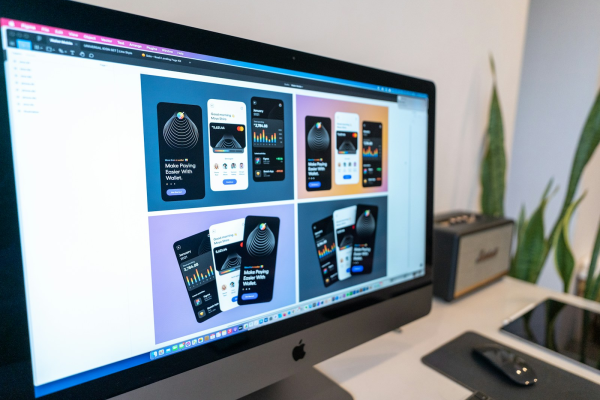
Web design tools have changed dramatically over the past few years, with collaboration, browser-based workflows, AI-assisted design and design-to-development handoff becoming just as important as traditional interface design capabilities. Figma remains the most prominent name in collaborative UI and web design, but the competitive landscape in 2026 is broader than a simple Figma versus Adobe XD comparison. Newer platforms such as Penpot and Framer are challenging established workflows by combining open-source development, website publishing, visual design and increasingly sophisticated collaboration features.
For freelancers, agencies and larger design teams, choosing the best web design tool is therefore less about identifying the platform with the longest feature list and more about finding the right combination of design capabilities, collaboration, pricing, workflow integration and scalability. Adobe XD remains usable for existing customers, but Adobe confirms that XD is in maintenance mode and is no longer receiving ongoing feature development. Meanwhile, Figma continues expanding its ecosystem, while newcomers are targeting specific gaps around publishing, openness, developer workflows and design-to-code processes.
Lets Dive In
Why Figma Remains the Benchmark for Web Design
Figma has become a benchmark for modern web design because it treats design as a collaborative, cloud-based activity rather than an isolated desktop process. Designers can create interfaces, wireframes, prototypes, components and design systems within the same environment while developers, clients, product managers and other stakeholders can participate in the workflow.
The platform has also expanded considerably beyond its original interface-design proposition. Figma’s current product ecosystem includes Figma Design, Dev Mode, FigJam, Figma Make, Figma Draw, Figma Slides, Figma Sites, Figma Buzz and other capabilities, creating a broader design and product-development environment.
For web designers, Figma’s strongest advantage remains its combination of interface design, responsive layout capabilities, reusable components, prototyping and developer handoff. Auto Layout helps designers create flexible interfaces that respond to changing content, while components and variables can support larger design systems.
This makes Figma particularly attractive for modern web projects where a design needs to evolve across desktop, tablet and mobile breakpoints. Instead of producing a collection of disconnected static screens, designers can create a more systematic representation of the eventual website.
Figma also benefits from a large ecosystem of templates, plugins, community resources and integrations. This lowers the barrier to entry for freelancers and junior designers while giving experienced professionals opportunities to customise their workflow.
Figma’s Collaboration Advantage
Collaboration is arguably the area where Figma has exerted the greatest influence on web design workflows. Browser-based access means designers do not have to exchange large design files whenever a client or colleague needs to review a project.
Comments, shared files, permissions, design libraries and developer inspection help create a common workspace for design and implementation. Developers can inspect designs and access measurements, properties and assets, while stakeholders can review prototypes without necessarily requiring a full design seat. Figma’s current pricing structure separates Full, Dev and Collab seats, helping organisations assign different levels of access according to individual responsibilities.
This matters particularly for agencies. A web design project might involve a UI designer, UX specialist, project manager, developer, copywriter and client. Figma allows these participants to work around the same source of truth instead of relying on repeated exports and separate files.
The result can be a faster feedback cycle. A client can comment on a design, the designer can make changes, and the developer can inspect the updated interface without waiting for another round of static deliverables.
Figma Pricing in 2026
Figma continues to use a tiered pricing model designed around different levels of collaboration. Its Starter plan is free, while the Professional plan currently lists Full seats at $16 per month, Dev seats at $12 and Collab seats at $3 when paid monthly. Organization and Enterprise plans provide additional administration, security, workspace and design-system capabilities, with current Full-seat pricing listed at $55 and $90 per month respectively when billed annually.
For freelancers, the free Starter plan can provide a useful entry point, although professional projects may quickly justify a paid plan because of its additional files, libraries, prototyping and development features.
For agencies, the Professional tier is likely to be the more practical starting point, particularly where several designers need shared libraries and structured workflows. Larger organisations can move toward Organization or Enterprise when governance, centralised administration, security and multiple product teams become more important.
Figma’s pricing is therefore not simply about the cost of a design application. Businesses need to consider how many people require Full seats, how many only need developer or collaboration access, and how much value the platform creates by reducing workflow friction.
Adobe XD: Still Relevant, but No Longer a Growth Platform
Adobe XD was once one of Figma’s strongest competitors, offering wireframing, interface design, prototyping, animation and collaboration within Adobe’s ecosystem. Its integration with Photoshop and Illustrator made it particularly attractive to designers already invested in Creative Cloud.
However, the competitive picture has changed substantially. Adobe states that XD remains in maintenance mode, meaning the company is not investing in ongoing development or shipping new features. Adobe continues to address bugs and security or privacy requirements, but the product is not being developed as an active innovation platform.
Adobe’s release history reinforces this distinction. The May 2026 XD update contained bug fixes and minor workflow improvements rather than a significant new feature programme.
That does not mean existing XD files suddenly become irrelevant. Agencies and businesses with established XD libraries, legacy projects or client requirements may continue using the application. However, for someone deciding which web design tool to learn from scratch in 2026, Adobe XD presents a very different proposition from Figma or newer actively developed alternatives.
The biggest issue is future-proofing. Learning a design platform is an investment of time, and designers increasingly need tools that are developing alongside AI, responsive design, design systems, developer handoff and modern collaboration requirements.
Figma vs Adobe XD for Web Designers
For pure interface design, Figma and Adobe XD share many capabilities. Both support wireframing, components, prototyping, responsive interface concepts, design assets and developer-oriented workflows.
The difference is momentum.
Figma is actively expanding its platform, while Adobe XD is primarily being maintained. This gives Figma a major advantage for designers who want to build skills around current and emerging web design workflows.
Adobe still has a significant advantage for professionals who depend heavily on Photoshop, Illustrator and the broader Creative Cloud ecosystem. Adobe’s current Creative Cloud Pro offering includes more than 20 applications and connects design, photography, video, illustration and AI capabilities within a wider creative environment.
For an established Adobe professional, that ecosystem can remain valuable. But for a new web designer choosing a primary UI design platform, Figma’s collaborative workflow and active product development make it the stronger long-term choice.
The New Challengers: Penpot and Framer
The most interesting development in the web design software market is not another direct Adobe XD replacement. Instead, newer platforms are approaching the problem from different directions.
Penpot is particularly notable because it combines interface design and prototyping with an open-source philosophy. The platform promotes ownership of designs and code, no vendor lock-in and the ability to use self-hosted environments. Its current pricing information highlights unlimited teams, no file limits within storage capacity and open-source access across its plans.
This makes Penpot particularly interesting for organisations concerned about vendor dependency, data control or open standards. It can also appeal to technical design teams that want designers and developers to work more closely around web technologies.
Framer takes another approach. Rather than positioning itself solely as a UI design and prototyping platform, it combines design, content management and website publishing. This creates an appealing workflow for freelancers and agencies that want to move from visual design to a functioning website without necessarily handing every project over to a separate development workflow.
Framer’s current pricing structure includes free access alongside paid plans, with Basic positioned toward students, freelancers and small studios and Pro aimed at agencies, startups and scale-ups. Its current collaboration model includes workspace owners, viewers, additional editors and content editors.
These platforms are not necessarily replacing Figma. Instead, they are expanding the definition of what a web design tool can be.
Collaboration: Figma vs the Newcomers
Figma remains exceptionally strong when collaboration is the primary requirement. Its browser-based model, comments, shared libraries, Dev Mode and multiple seat types make it suitable for multidisciplinary product teams.
Penpot’s appeal is different. Open-source principles and developer-friendly workflows can make it attractive where organisations want greater control over infrastructure and design assets. Its enterprise offering also addresses areas such as SSO, hosting regions and advanced organisational requirements.
Framer focuses collaboration around an increasingly complete website workflow. Teams can collaborate on design, content and publishing, with separate roles available for people who need to edit content without requiring full design access.
For agencies, this distinction matters. A studio creating a website entirely inside Framer may be able to reduce the number of separate tools involved in the project. A product design agency working alongside software engineers may prefer Figma’s deeper design-system and developer-handoff environment.
The best collaboration platform is therefore dependent on what “collaboration” actually means for the organisation.
Which Platform Is Best for Freelancers?
For freelancers, Figma is still the safest all-round choice in 2026.
Its low barrier to entry, broad adoption and extensive ecosystem make it useful for building a portfolio and working with clients who already understand Figma. A freelancer can use it to create wireframes, responsive layouts, prototypes, design systems and developer-ready handoffs without requiring a large software investment.
However, Framer deserves serious consideration for freelancers who specialise in marketing websites. The ability to move from visual design toward publishing can reduce the number of tools and handoffs involved in a project.
Penpot is another compelling choice for technically minded freelancers, especially those interested in open-source workflows or clients who value greater control over their design infrastructure.
Adobe XD is less attractive for a new freelancer because learning time is better invested in a platform with a more active development roadmap.
Which Platform Is Best for Agencies?
Agencies have more complex requirements because they need to balance client collaboration, internal workflows, project management, reusable assets and profitability.
Figma remains particularly strong for agencies handling UX design, product design and complex web applications. Shared libraries and structured components allow agencies to build reusable systems that can accelerate delivery across multiple clients.
Framer can be highly competitive for agencies focused on brand websites, landing pages and content-driven experiences. Its combination of design and publishing can shorten the journey from approved concept to live website.
Sketch remains a credible alternative, particularly for Mac-based teams. Its 2026 Standard plan is listed at $12 per editor per month when billed annually, while Professional is $24 and Enterprise is $44. The platform includes real-time collaboration, unlimited documents, free viewers and developer handoff, with higher tiers adding features such as SSO, permission groups, archiving and enterprise security capabilities.
For agencies already invested in Adobe’s broader ecosystem, Adobe Creative Cloud may still provide substantial value even if XD itself is no longer the strategic design application.
Which Platform Is Best for Larger Teams?
Large product teams have different priorities from freelancers. Governance, permissions, security, design systems, developer handoff and integration with product-development processes become increasingly important.
Figma’s Organization and Enterprise plans are designed around these requirements. Organization supports centralised assets, shared libraries and administration, while Enterprise adds features such as custom team workspaces, design-system theming, APIs and SCIM seat management.
Penpot can be especially interesting for organisations with technical infrastructure requirements because of its open-source and self-hosting possibilities.
Sketch also provides enterprise-focused capabilities including SCIM provisioning, BYOK encryption, centralised user management and dedicated support.
For a large web design or product organisation, however, the final decision should not be based solely on feature count. Integration with development, documentation, accessibility, security, procurement and existing design-system practices can matter more than individual drawing features.
AI Is Changing the Competitive Landscape
One of the most important developments in web design tools during 2026 is the growing integration of AI.
Figma is incorporating AI across its product ecosystem, with AI credits now attached to its plans and capabilities spanning areas of design and related workflows. Current Figma plans include monthly AI credit allocations, with different amounts depending on plan and seat type.
The significance of AI is not simply that designers can generate content faster. AI can potentially reduce repetitive work around layouts, content generation, exploration and prototyping, allowing designers to spend more time on user experience, accessibility, information architecture and strategic decisions.
Framer is also integrating AI into its website-building workflow, while the broader design-tool market is increasingly moving toward prompt-assisted creation.
This could eventually change how platforms compete. The winning web design tools may not simply be those with the strongest vector or prototyping capabilities. They may be the platforms that integrate AI effectively without sacrificing designer control, consistency or accessibility.
Design Systems Are Becoming a Major Differentiator
Design systems are another area where platform choice matters.
Modern websites rarely consist of a handful of individually designed pages. Organisations increasingly use reusable components, variables, tokens, typography systems and shared patterns to maintain consistency across digital products.
Figma has built a particularly strong position around this approach through components, libraries and organisation-wide design resources. This gives larger teams a way to manage consistency while allowing multiple designers to work across products.
Penpot’s open-source philosophy may appeal to organisations that want greater control over how their design systems connect with development.
For freelancers, design systems can also become a commercial advantage. A designer who can demonstrate not only attractive web layouts but also scalable components and responsive systems can offer clients greater long-term value.
What Should Web Designers Learn in 2026?
The biggest lesson from the Figma versus Adobe XD versus newcomers debate is that web designers should avoid becoming dependent on one application’s interface.
The underlying skills are more valuable than any individual tool. Responsive layout, typography, accessibility, user research, information architecture, prototyping, interaction design, design systems and developer collaboration remain transferable.
Figma is currently the most practical platform to learn because of its widespread adoption and active development. However, designers should also understand how alternative platforms approach the same problems.
Learning Penpot can strengthen understanding of open-source and developer-oriented design workflows. Learning Framer can broaden a designer’s capabilities into website publishing. Understanding Sketch remains useful in organisations with established Mac-based design environments.
The goal should be tool fluency rather than tool dependency.
The Verdict: Who Is Winning in 2026?
Figma is the overall winner for modern collaborative web design in 2026. Its combination of interface design, prototyping, design systems, developer handoff, collaboration and expanding AI capabilities gives it the strongest all-round position.
Adobe XD remains relevant primarily for existing users and organisations with established XD workflows. Adobe’s confirmation that XD remains in maintenance mode makes it difficult to recommend as the primary platform for someone beginning a new web design career.
The newcomers are nevertheless important because they are challenging the conventional definition of design software. Penpot demonstrates the appeal of open-source and developer-oriented design, while Framer shows how design and website publishing can increasingly become part of the same workflow.
For freelancers, Figma offers the safest combination of employability, client familiarity and flexibility, with Framer particularly attractive for designers who also want to build and publish websites. Agencies can benefit from Figma’s collaborative design-system capabilities or Framer’s integrated publishing workflow depending on their project mix. Larger teams will generally benefit from Figma, Penpot or Sketch depending on governance, security, technical and infrastructure requirements.
Ultimately, the winner is not necessarily the platform with the most features. It is the platform that best connects design, collaboration, development and business outcomes. In 2026, Figma currently has the strongest overall position, but the growing capabilities of Penpot, Framer and other emerging platforms mean web designers have more meaningful choices than ever.
Recommended Online Courses to Build Web Design Skills in 2026
As web design tools continue to evolve, developing practical skills in interface design, responsive layouts, prototyping, design systems and collaborative workflows can help designers remain competitive. The following courses provide practical training in Figma and modern UI/UX workflows, with current ratings, enrolment figures and 2026 updates checked where available.
Figma UI UX Design Essentials — Udemy
Platform: Udemy
Level: Beginner to Intermediate
Focus: Figma, UI design, UX design, prototyping, wireframing and web design
Rated 4.7/5 from more than 48,000 ratings, with more than 212,000 students, this Bestseller and Highest Rated course by Daniel Walter Scott provides one of the strongest large-scale learning pathways for designers moving into Figma.
It was updated in May 2026 and covers practical UI/UX workflows including wireframing, interactive prototypes, design principles, components, responsive interfaces and complete design projects. The course is particularly suitable for aspiring freelance web designers because it connects Figma skills with real-world UX and client expectations.
Course Link: Figma UI UX Design Essentials — Udemy
Create High-Fidelity Designs and Prototypes in Figma | Coursera
Platform: Coursera
Level: Beginner
Focus: High-fidelity UI design, prototyping, UX, design systems and collaborative workflows
This Google course is available through Coursera’s current Figma course catalogue and is rated 4.8/5 from more than 4,800 reviews. It focuses on creating high-fidelity designs and interactive prototypes in Figma while developing broader UI/UX capabilities.
The course is particularly useful for learners who want structured training and a recognised learning pathway rather than relying exclusively on short-form tutorials.
Course Link: Create High-Fidelity Designs and Prototypes in Figma | Coursera
Figma Essential Training: The Basics Online Class | LinkedIn Learning
Platform: LinkedIn Learning
Level: Beginner to Intermediate
Focus: Figma fundamentals, components, responsive design, prototyping, collaboration and AI
Figma Essential Training by Brian Wood provides a concise introduction to the platform while covering practical concepts including frames, pages, shapes, images, text, components, constraints, prototypes and sharing.
The course has a 4.8/5 rating from more than 1,000 ratings and also introduces current AI capabilities in Figma. Its exercise files make it useful for learners who want to follow along with practical design work rather than simply watching demonstrations.
Course Link: Figma Essential Training: The Basics Online Class | LinkedIn Learning
Building a Future-Proof Web Design Skill Set
The continuing evolution of Figma, Penpot, Framer and other web design platforms demonstrates why modern designers should think beyond individual software packages. Tools will continue to change, AI capabilities will become more deeply integrated and the boundaries between design, prototyping, development and publishing will continue to blur.
For professionals, this creates an opportunity rather than a threat. Designers who combine strong visual fundamentals with responsive web design, UX principles, accessibility, design systems, prototyping, AI-assisted workflows and developer collaboration will be better positioned to adapt as platforms evolve.
Figma currently provides the strongest foundation for that journey, but learning how competing platforms approach web design can make designers more versatile. The future of web design belongs less to people who master one application and more to professionals who understand the principles behind effective digital experiences and can apply them across an increasingly diverse technology landscape.