

Intro
User Interface (UI) Design has become an increasingly important career within the digital economy as businesses invest in websites, mobile applications, software platforms and digital products that are visually appealing, intuitive and easy to use. UI designers combine visual creativity with technology and user-centred thinking, creating interfaces that include navigation menus, buttons, forms, dashboards, typography, colour systems, icons and interactive components. For people interested in combining creativity with a career in technology, UI Design offers a range of opportunities across digital agencies, technology companies, startups, ecommerce businesses and freelance work.
A traditional university degree is not always essential for entering UI Design, with employers often placing considerable value on practical skills, industry-standard tools and a strong portfolio. The most effective pathway is therefore to develop visual design fundamentals, master tools such as Figma, learn UX and accessibility principles, understand responsive design and gain basic HTML and CSS knowledge. By combining these skills with recognised certifications, practical projects and a professional portfolio, aspiring designers can progress from junior UI roles into UI/UX Design, Product Design, Interaction Design, Design Systems and senior design positions.
Lets Dive In
Understanding User Interface Design
User Interface Design is concerned with the visual and interactive layer of a digital product. While UX Design focuses more broadly on the complete user experience and how effectively a product solves user problems, UI Design concentrates heavily on the interface itself.
A UI designer considers how information is presented, how users navigate between screens, how buttons and controls behave, how typography supports readability, how colours communicate meaning and how visual elements work together to create a consistent experience.
However, modern UI designers increasingly need some UX knowledge. A visually impressive interface can still fail if users cannot understand the navigation, complete important tasks or find the information they need. For this reason, employers often look for designers who understand both UI and UX principles, even when the advertised role is specifically focused on UI.
The distinction is therefore useful, but aspiring designers should avoid treating UI and UX as completely separate disciplines. Understanding user research, information architecture, wireframing, usability testing and user journeys can make a UI designer considerably more effective.
The Main Career Pathway into User Interface Design
A successful UI Design career can be developed through several stages. The first stage is learning the fundamentals of visual design. The second is developing practical proficiency with a professional interface design tool such as Figma. The third involves learning UX principles, wireframing and prototyping. The fourth is developing specialist capabilities such as responsive design, design systems, accessibility and interaction design.
Once these foundations are established, the learner needs to move beyond tutorials and start creating original projects. This is where a portfolio becomes critical. A portfolio should demonstrate the designer’s ability to identify a problem, develop a design solution and explain the reasoning behind important design decisions.
After building several substantial projects, the next stage is gaining practical experience through freelance work, internships, volunteer projects, personal products, collaborations or junior employment. Eventually, designers can specialise in areas such as product design, mobile UI, web design, design systems, interaction design or visual design.
Entry-Level UI Design Job Roles
A career in User Interface Design can develop through several different roles, depending on whether the designer prefers visual design, user experience, interaction design, product development or design systems. Salaries vary considerably depending on location, industry, portfolio quality and technical ability. The figures below provide indicative U.S. annual earnings in USD and should be viewed as general career benchmarks rather than guaranteed starting salaries.
Junior UI Designer
The Junior UI Designer is one of the most accessible starting positions for someone entering the profession. Junior designers typically work under the direction of more experienced designers and contribute to interface layouts, components, visual assets, prototypes and design-system documentation.
Important skills include Figma, typography, colour theory, layout, responsive design, visual hierarchy, component-based design and basic UX principles. Junior designers should also understand how their designs will be implemented by developers.
A strong portfolio containing three to five well-developed projects can be more valuable than a large collection of small tutorial exercises. Employers want to see evidence that a candidate can create polished interfaces and understand why particular design decisions were made.
Expected earnings: Approximately $45,000–$70,000 per year, with an indicative average around $55,000–$60,000.
UI/UX Designer
The UI/UX Designer combines interface design with broader user-experience responsibilities. This can be an excellent role for someone who enjoys both visual design and problem-solving.
Responsibilities may include user research, personas, user journeys, wireframes, high-fidelity mockups, interactive prototypes, usability testing and interface design. Because the role crosses UI and UX, candidates need stronger research and communication skills than a purely visual UI position.
Expected earnings: Approximately $55,000–$90,000 per year at junior or early-career level, with experienced UI/UX designers potentially progressing beyond $100,000.
The broader nature of the UI/UX role can increase earning potential because employers are able to hire one designer who can contribute to both interface design and user-experience activities.
Product Designer
Product Designers generally have a broader responsibility for the experience of a digital product. They may become involved from the early stages of identifying a user problem through research, ideation and prototyping to the development and improvement of the final product.
Product designers need strong UI skills but also require knowledge of UX research, product thinking, information architecture, accessibility, experimentation and collaboration with product managers and developers.
Expected earnings: Approximately $70,000–$110,000 per year during the early stages of a product-design career, with experienced Product Designers potentially progressing beyond $120,000.
Product Design is generally a progression rather than an immediate entry-level destination. A typical pathway is Junior UI Designer → UI/UX Designer → Product Designer.
Interaction Designer
Interaction Designers focus on how users interact with digital interfaces. Their work includes transitions, animations, micro-interactions, feedback states, navigation behaviour and interactive prototypes.
Interaction design requires an understanding of user behaviour as well as visual design. Designers need to consider what happens when a user clicks, taps, swipes, submits information, encounters an error or completes a task.
Strong Figma skills are particularly valuable, while knowledge of motion design and basic front-end technology can provide an additional advantage.
Expected earnings: Approximately $60,000–$95,000 per year for early-career professionals, with experienced Interaction Designers potentially earning $100,000 or more.
Visual Designer
Visual Designers concentrate heavily on the visual language of a digital product. They may work on typography, colour palettes, imagery, iconography, layouts and brand expression.
This role can be particularly suitable for people coming from graphic design, branding or digital art. However, visual designers working in product environments need to understand responsive interfaces, accessibility and design systems rather than focusing exclusively on static graphics.
Expected earnings: Approximately $50,000–$80,000 per year when entering the profession, with experienced Visual Designers potentially earning $90,000–$110,000 or more.
Developing strong UI skills alongside traditional visual-design capabilities can help designers move from general graphic-design positions into higher-value digital-product roles.
Design Systems Designer
Design Systems Designers create and maintain reusable design components and standards that allow large digital products to remain consistent.
Their work may include buttons, cards, navigation systems, forms, typography scales, colour tokens, spacing systems and component libraries. They also collaborate closely with developers to ensure that the design system can be translated effectively into production code.
Expected earnings: Approximately $75,000–$110,000 per year for designers entering or progressing into design-systems work, with experienced specialists potentially earning $120,000–$150,000 or more at larger technology companies.
This is generally a more advanced specialisation, but learning component-based design, Figma variables, reusable components and design-system principles early can accelerate progression into senior UI and product-design roles.
Senior UI Designer
The Senior UI Designer represents a significant progression from junior-level work. Senior designers take greater responsibility for design quality, complex product problems, design systems and collaboration with other departments.
Senior UI Designers may mentor junior designers, establish visual standards, review design work and work directly with product managers, developers and senior stakeholders.
Expected earnings: Approximately $90,000–$130,000 per year, with highly experienced professionals and designers working for major technology companies potentially earning $140,000–$160,000 or more when additional compensation is included.
UI Design Lead
The UI Design Lead sits at the senior end of the UI career pathway and combines advanced design expertise with leadership and strategic responsibility.
UI Design Leads may establish design standards, manage design-system development, mentor other designers, conduct design reviews and coordinate design activity across multiple products or teams.
Expected earnings: Approximately $110,000–$160,000+ per year, with compensation potentially exceeding $160,000 at large technology companies or organisations where the role includes substantial management and strategic responsibility.
At this level, employers generally expect considerably more than technical design ability. Leadership, stakeholder management, communication, product strategy and the ability to influence design decisions across an organisation become increasingly important.
UI Design Salary Progression
The potential earnings progression demonstrates why developing a broad skill set can be valuable. A learner entering the profession as a Junior UI Designer might initially earn approximately $45,000–$70,000, depending on the market and employer. With several years of experience and broader UI/UX responsibilities, earnings can progress towards $70,000–$100,000 or more.
Specialisation can create additional opportunities. Product Design, Design Systems, Interaction Design and senior UI roles can all provide pathways towards salaries above $100,000, particularly in major technology markets.
It is also important to recognise that salary is only one measure of career potential. UI designers can also generate income through freelance projects, contract work, consulting, design education and digital products. Designers who combine strong UI skills with UX, front-end development, accessibility, AI-assisted workflows or product strategy can potentially broaden both their employment opportunities and earning potential.
The Core Skills Needed for a UI Design Career
Visual Design Fundamentals
The first major skill area is understanding the principles that make interfaces visually effective. This includes composition, balance, contrast, alignment, proximity, hierarchy, repetition and visual consistency.
Typography is particularly important because digital interfaces depend heavily on text. Designers need to understand typefaces, font sizes, line heights, spacing, readability and hierarchy.
Colour theory is equally important. UI designers need to understand colour relationships, contrast, visual emphasis and how colour can communicate meaning without becoming inaccessible.
Figma and Interface Design Tools
Figma has become one of the most important tools for modern UI and UX design. Designers use it to create wireframes, high-fidelity interfaces, prototypes, components, design systems and collaborative design files.
A professional UI designer should be comfortable with frames, auto layout, components, variants, variables, styles, grids, responsive layouts, prototyping and developer handoff.
The goal should not simply be to learn where the buttons are in Figma. Designers need to understand how the tool supports a professional design workflow.
UX Design and User Research
Although UI designers focus on interfaces, understanding users is essential. Designers should know how to interpret user requirements, create personas, understand user journeys and identify usability problems.
Basic research skills can help a designer avoid creating attractive interfaces that fail to solve the user’s actual problem.
Wireframing and Prototyping
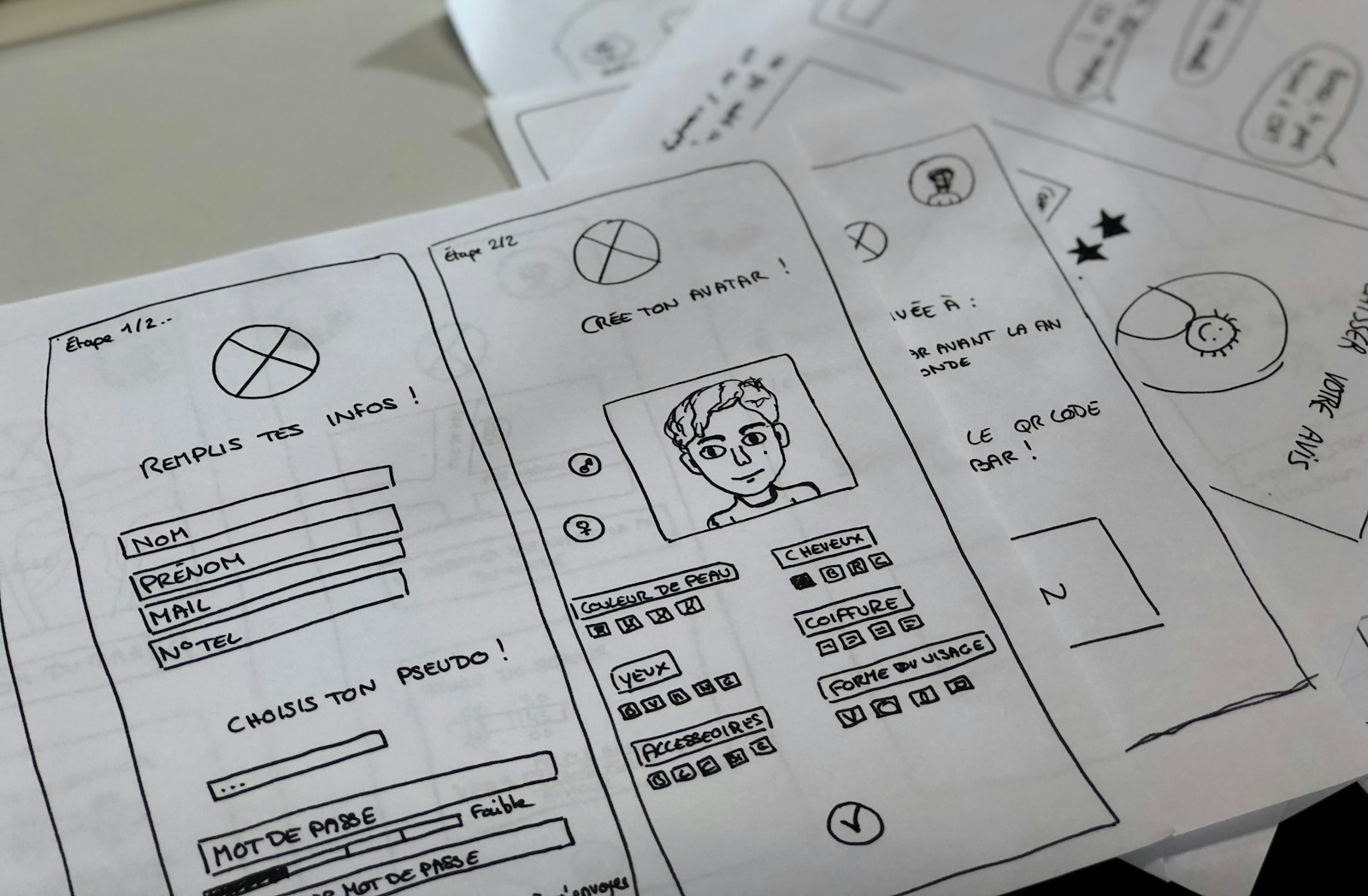
Wireframing allows designers to establish structure before spending significant time on visual detail. Low-fidelity wireframes can be used to test navigation, information hierarchy and layout.
High-fidelity prototypes then allow designers to demonstrate realistic interfaces and interactions before development begins.
Prototyping is particularly valuable because it allows designers, developers, clients and stakeholders to experience a proposed interface rather than simply looking at static screens.
Responsive Design
Modern UI designers need to understand how interfaces adapt across desktop computers, tablets and smartphones.
Responsive design involves flexible layouts, appropriate spacing, scalable components and consideration of different screen sizes and interaction methods.
A strong portfolio should therefore demonstrate designs for more than one screen size rather than presenting only desktop mockups.
Accessibility and Inclusive Design
Accessibility is becoming an increasingly important part of professional UI Design. Designers need to consider users with visual, auditory, motor and cognitive disabilities.
Important areas include colour contrast, readable typography, keyboard navigation, focus states, meaningful labels, clear interaction states and designs that do not depend exclusively on colour.
Understanding WCAG principles can make a designer more employable while helping create products that can be used by a wider audience.
HTML and CSS
UI designers do not necessarily need to become professional developers, but basic HTML and CSS knowledge can be extremely useful.
HTML helps designers understand how web content is structured, while CSS explains how layouts, typography, colours, spacing and responsive behaviour are implemented.
This technical knowledge makes communication with developers easier and helps designers create interfaces that are realistic to build.
Interaction and Motion Design
Modern digital products increasingly use animation and micro-interactions to communicate changes in state and provide feedback.
UI designers should understand when animation improves usability and when it simply creates visual noise. Useful examples include button states, loading indicators, transitions, confirmation messages and navigation animations.
Communication and Collaboration
Design is rarely an isolated activity. UI designers regularly work with developers, product managers, UX researchers, marketers, content designers and business stakeholders.
Being able to explain design decisions clearly is therefore a core career skill. Designers should be able to explain not only what they created but why the design solves the user’s problem.
Certifications That Can Strengthen a UI Design Career
Certifications are useful, but they should complement rather than replace a portfolio.
The Google UX Design Certificate is one of the most accessible options for beginners and career changers. It covers UX fundamentals, research, wireframing, prototyping, usability testing and portfolio development. It can provide a structured foundation for someone entering UI/UX without previous professional experience.
Nielsen Norman Group’s UX Certification is a more advanced option. Its certification pathway requires learners to complete five courses and pass the associated exams. It can be particularly useful for professionals seeking a recognised UX credential after developing some practical experience.
Adobe certifications can also be valuable for designers who use Adobe’s ecosystem. Adobe’s certification programme provides credentials demonstrating proficiency with Adobe applications, although aspiring UI designers should select certifications that directly support their intended design workflow.
It is also worth remembering that Figma itself does not require designers to hold an official certification. In practice, demonstrable ability with Figma, strong interface work and a professional portfolio are more important than simply holding a certificate.
Recommended Online Courses to Build User Interface Design Skills in 2026
As digital product design continues to evolve alongside artificial intelligence, responsive interfaces, accessibility, design systems and increasingly sophisticated web and mobile technologies, structured online learning provides a practical way to develop the skills required for modern User Interface Design careers. The following courses have been selected for their strong learner ratings, substantial enrolment levels, practical focus and relevance to the skills required for visual design, Figma, UI/UX design, prototyping, accessibility, responsive design, HTML, CSS and modern digital product development.
Figma UI UX Design Essentials | Udemy
Platform: Udemy
Level: Beginner to Intermediate
Focus: Figma, UI design, UX design, wireframing, prototyping and interface design
This course provides a practical introduction to Figma and the fundamental principles of modern UI and UX design. Learners develop skills in creating wireframes, high-fidelity interfaces, interactive prototypes, layouts, components and visual designs while gaining an understanding of how Figma supports professional digital-product design workflows.
Its combination of Figma training and practical UI/UX principles makes it particularly useful for beginners who want to establish a strong foundation in interface design. The course also introduces important areas such as typography, colour, user flows and prototyping, helping learners progress from basic design exercises towards portfolio-quality digital interfaces.
Course Link: Figma UI UX Design Essentials | Udemy
Design Principles, Typography & Color Theory in 1 MegaCourse | Udemy
Platform: Udemy
Level: Beginner to Intermediate
Focus: Visual design principles, typography, colour theory, composition and design fundamentals
This course provides a broad introduction to the visual design principles that underpin effective digital interfaces. Learners develop an understanding of composition, hierarchy, balance, contrast, typography and colour theory, together with practical approaches to applying these principles when creating visual designs.
Its emphasis on fundamental design concepts makes it particularly valuable for aspiring UI designers who want to develop their creative skills alongside technical knowledge of design software. Strong visual fundamentals can help designers create interfaces that are consistent, readable and visually engaging rather than relying solely on templates or software features.
Course Link: Design Principles, Typography & Color Theory in 1 MegaCourse | Udemy
How To Design for Accessibility: for UX Designers | Udemy
Platform: Udemy
Level: Beginner to Intermediate
Focus: Accessibility, WCAG 2.2, inclusive design, colour contrast and accessible interfaces
This course provides an introduction to accessibility and inclusive design for people working in UX and UI. Learners explore important accessibility considerations including colour contrast, accessible wording, interface styling and the principles required to create digital products that can be used by people with different abilities.
Its focus on WCAG 2.2 makes it particularly relevant to modern UI designers, as accessibility is increasingly becoming an essential part of professional digital-product development. Understanding accessibility during the design process can also help learners produce stronger portfolio projects and demonstrate awareness of professional design standards.
Course Link: How To Design for Accessibility: for UX Designers | Udemy
HTML & CSS for Website Design and Development | Udemy
Platform: Udemy
Level: Beginner
Focus: HTML, CSS, responsive web design, layouts and front-end fundamentals
This course provides a practical introduction to HTML and CSS for learners who want to understand how website interfaces are structured and developed. Learners explore HTML5, CSS3, responsive layouts, styling, animations and other fundamental concepts used to translate digital designs into functional websites.
Its focus on front-end fundamentals makes it particularly useful for UI designers who want to understand how their designs will be implemented by developers. Basic HTML and CSS knowledge can improve communication between designers and development teams while helping UI designers create more realistic and technically achievable interface designs.
Course Link: HTML & CSS for Website Design and Development | Udemy
Complete Figma Megacourse: UI/UX Design Beginner to Expert | Udemy
Platform: Udemy
Level: Beginner to Advanced
Focus: Figma, UI/UX design, wireframing, prototyping, user flows and interface design
This comprehensive course provides a broader pathway through UI and UX design using Figma. Learners develop skills in user flows, wireframing, interface design, prototyping, human-computer interaction, visual design and collaborative design workflows.
Its extensive coverage makes it suitable for learners who want to progress beyond the basics and develop a more complete understanding of professional digital-product design. The course can also provide a useful foundation for creating portfolio projects that demonstrate both visual design capability and an understanding of the wider UI/UX design process.
Course Link: Complete Figma Megacourse: UI/UX Design Beginner to Expert | Udemy
How to Use AI and ChatGPT for Efficient UX Research in 2026 | Udemy
Platform: Udemy
Level: Beginner to Intermediate
Focus: UX research, AI-assisted research, research planning, analysis and user insights
This course introduces ways in which artificial intelligence can support modern UX research activities. Learners explore how AI tools can assist with research planning, interview preparation, analysis, synthesis and the organisation of user research findings.
Its focus on AI-assisted workflows is particularly relevant as UI and UX professionals increasingly incorporate artificial intelligence into their design processes. Understanding how to use AI effectively can help designers accelerate repetitive research and analysis tasks while retaining responsibility for evaluating evidence and making informed design decisions.
Course Link: How to Use AI and ChatGPT for Efficient UX Research in 2026 | Udemy
Building a Professional UI Design Portfolio
A portfolio is arguably the most important career asset for an aspiring UI designer.
Rather than creating ten small projects that look similar, it is better to develop three or four substantial case studies. Each project should demonstrate the complete design process.
A strong case study should explain the problem, identify the target users, describe the research or assumptions, show early wireframes, demonstrate the visual design process and present the final interface. Interactive prototypes should be included wherever possible.
A portfolio could contain a responsive website, a mobile application, a SaaS dashboard and a redesign of an existing digital product. This variety demonstrates the ability to work across different interface environments.
Designers should also explain their decisions. Instead of simply showing a beautiful homepage, explain why the navigation was structured in a particular way, why specific typography was selected, how accessibility was considered and how the design responds to different screen sizes.
A 12-Month UI Design Career Roadmap
Months 1–2: Learn Design Fundamentals
Start with visual design principles, typography, colour theory, composition, hierarchy and basic UX concepts. At this stage, the objective is to understand why interfaces work visually rather than simply learning software.
Create small exercises involving landing pages, mobile screens and dashboard components.
Months 3–4: Master Figma
Develop practical Figma skills, including frames, components, auto layout, styles, variables, responsive layouts and prototyping.
Build complete interfaces rather than isolated exercises. Create a website and a mobile application to demonstrate different design challenges.
Months 5–6: Develop UX and Prototyping Skills
Learn user journeys, personas, information architecture, wireframing, prototyping and usability testing.
Create a complete project from an initial problem through to a tested high-fidelity prototype.
Months 7–8: Develop Specialist Skills
Focus on responsive design, accessibility, design systems and interaction design.
Create reusable components and establish a small design system containing typography, colours, spacing, buttons, forms, cards and navigation elements.
Months 9–10: Build the Portfolio
Select three or four of the strongest projects and turn them into professional case studies.
Create a portfolio website that demonstrates both visual quality and the thinking behind each project.
Months 11–12: Gain Real-World Experience
Begin applying for Junior UI Designer, Junior UX/UI Designer, Digital Designer, Web Designer and Product Design roles.
At the same time, pursue small freelance projects, volunteer opportunities or collaborations that provide genuine experience working with clients and developers.
The objective at this stage is not simply to obtain a job title. It is to start accumulating evidence that you can work on real digital products.
Career Progression After the First UI Design Role
The first professional role can provide a foundation for several different career directions.
A designer who enjoys visual craft may progress from Junior UI Designer to UI Designer, Senior UI Designer and eventually UI Design Lead.
Someone who enjoys research and problem-solving may move towards UX Design and Product Design.
Designers interested in interaction and animation can specialise in Interaction Design or Motion Design.
Those who enjoy systems and consistency can develop into Design Systems Designers.
Another option is freelancing. Experienced UI designers can work with startups, agencies, software companies, ecommerce businesses and independent entrepreneurs to create websites, mobile applications and digital products.
The combination of UI Design, Figma, responsive design, accessibility and basic HTML/CSS can be particularly valuable for freelance work because it allows designers to offer a broader digital-design service.
How AI Is Changing the UI Design Career Path
Artificial intelligence is changing how UI designers work, but it does not eliminate the need for design expertise.
AI tools can accelerate brainstorming, generate design variations, assist with content, create initial concepts and support research analysis. However, designers still need to understand users, evaluate design quality, maintain consistency and make decisions based on evidence.
The most valuable UI designers are therefore likely to be those who combine strong design fundamentals with AI-assisted workflows.
Rather than competing against AI by ignoring it, aspiring designers should learn how to use AI to accelerate repetitive work while retaining responsibility for design quality, accessibility, usability and creative direction.
Final Thoughts
Building a career in User Interface Design is increasingly accessible to people who can demonstrate practical skills, creativity and a strong understanding of digital products. Rather than relying solely on a traditional degree, aspiring UI designers can develop their careers by learning visual design fundamentals, mastering Figma, developing UX and prototyping skills, understanding accessibility and responsive design, and gaining basic knowledge of HTML and CSS. Recognised certifications can strengthen a CV, but a professional portfolio demonstrating well-developed, original projects remains one of the most important assets when pursuing employment or freelance opportunities.
For newcomers, a realistic pathway is to spend the first six to twelve months developing core skills and building three or four substantial portfolio projects before targeting junior UI, UI/UX or digital-design positions. With experience, designers can progress into Product Design, Interaction Design, Design Systems, Senior UI Design and leadership roles, while freelance and contract work provide additional opportunities. As AI continues to transform digital design workflows, designers who combine strong creative and user-centred skills with emerging AI capabilities are likely to be well positioned for the evolving digital employment market.