Intro
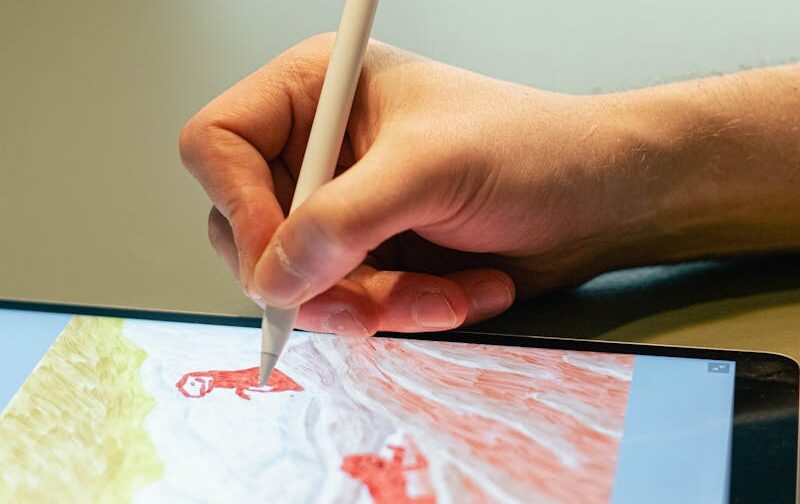
Digital painting has become an essential skill for artists in the modern creative economy, spanning industries such as concept art, illustration, animation, and game development. With the rise of online learning, aspiring artists now have unprecedented access to high-quality instruction from industry professionals, all from the comfort of their own homes. Whether you are a beginner seeking to master foundational skills or an intermediate artist looking to refine your workflow, choosing the right online course can dramatically accelerate your progress.
In 2025, the market for digital painting courses has grown both in quantity and quality, with programs offering hands-on projects, portfolio-building exercises, and real-world mentorship opportunities. This article reviews five of the top-selling, highest-rated digital painting courses of 2025, chosen based on enrolment numbers, student feedback, and practical, project-based learning. By exploring each course’s curriculum, methodology, and industry relevance, this guide aims to help artists make informed decisions about which program best aligns with their creative goals.
Lets Dive In
1. Color Theory: How to Apply It to Your Images
Platform: Domestika
Cost: ~US$79 (one-time; discounts often available)
Duration: 18 lessons (~3h 53m)
Rating: ★★★★★ 5/5 (1.1 K reviews)
Students: ~33,023
Overview:
Jean Fraisse’s course is a beginner-friendly, project-oriented program that focuses on colour theory for digital painting and illustration. The curriculum emphasizes mood, atmosphere, composition, and visual storytelling through colour. Learners complete a final project creating three versions of the same scene using different moods, solidifying practical application of colour principles.
Curriculum and Teaching Methodology:
The course is modular, progressing from colour fundamentals to applied exercises. Students complete project-based assignments, watch detailed video lessons, and use downloadable resources. The approach emphasizes applied learning over theory-heavy lectures. Interaction is facilitated via project submissions and optional discussion forums.
Industry Relevance:
Highly relevant for illustrators, concept artists, and digital painters seeking to improve their use of colour in portfolio pieces. Employers value strong colour sense and visual storytelling skills. Student reviews praise the clarity and immediate applicability of the exercises.
Cost: Approximately US$79 (one-time; discounts often available).
Course: Color Theory: How to Apply It to Your Images
2. Lighting and Color for Digital Portraits in Photoshop
Platform: Domestika
Cost: ~US$79 (one-time; discounts often available)
Duration: 31 lessons (~6h 53m)
Rating: ★★★★★ 5/5 (441 reviews)
Students: ~15,114
Overview:
Karmen Loh’s course teaches lighting and colour specifically for digital portraits in Photoshop. Students learn to create mood, enhance characters, and apply lighting and colour workflows to polished portrait pieces. The final project focuses on producing a fully rendered portrait with professional lighting and colour treatment.
Curriculum and Teaching Methodology:
The program is modular, with step-by-step demonstrations of lighting and colour techniques. Students complete guided exercises and a final portfolio project, supported by downloadable resources. The methodology focuses on practical application and workflow mastery rather than theory-heavy instruction.
Industry Relevance:
Highly relevant for digital artists specializing in portraiture, character design, or freelance illustration. Employers and clients value polished, expressive portraits with effective lighting. Learners highlight the practical lighting and colour techniques as immediately applicable.
Cost: Approximately US$79 (one-time; discounts often available).
Course: Lighting and Color for Digital Portraits in Photoshop
3. The Ultimate Digital Painting Course – Beginner to Advanced
Platform: Udemy
Cost: US$20–$150 depending on discounts
Duration: 20+ hours of video, 18 sections
Rating: ★★★★☆ 4.6/5 (16,863 ratings)
Students: ~106,792
Overview:
This comprehensive course by Jaysen and Austin Batchelor takes learners from fundamentals to advanced digital painting techniques, covering character design, landscapes, colour theory, textures, and portfolio preparation. Students complete 60+ hands-on projects to reinforce learning.
Curriculum and Teaching Methodology:
The program is structured in modules, progressing from drawing fundamentals to advanced painting workflows. Students complete project-based assignments, interactive quizzes, and guided exercises. The approach emphasizes applied practice and portfolio-ready outcomes.
Industry Relevance:
Highly relevant for hobbyists and aspiring professionals seeking a broad digital painting skillset. Employers value the ability to produce polished artwork and complete projects from start to finish. Learners benefit from the extensive practice and portfolio-building assignments.
Cost: Variable, typically US$20–$150 depending on discounts (one-time payment with lifetime access).
Course: The Ultimate Digital Painting Course – Beginner to Advanced
4. Digital Painting with Procreate | Grayscale to Color
Platform: Skillshare
Cost: US$14/month or US$99/year
Duration: ~2h 18m
Rating: ★★★★☆ 4.6/5 (99 ratings)
Students: Not publicly disclosed
Overview:
Taught by Kurt Michael Russell, this course focuses on a workflow from grayscale to colour in Procreate. Learners build skills in value, contrast, and colour layering, culminating in a finished digital painting.
Curriculum and Teaching Methodology:
The course is modular, walking students through thumbnail sketches, grayscale painting, base colour application, and final refinement. Students complete a project demonstrating their mastery of the grayscale-to-colour workflow.
Industry Relevance:
Relevant for artists using iPad/Procreate who want a targeted workflow to improve painting quality and colour application. Best used as a supplement to broader learning rather than a full program.
Cost: Skillshare membership required (~US$14/month or US$99/year; free trial often available).
Course: Digital Painting with Procreate | Grayscale to Color
5. Digital Painting for Beginners in Procreate
Platform: Skillshare
Cost: US$14/month or US$99/year
Duration: ~3h 30m
Rating: ★★★★☆ 4.7/5 (120 ratings)
Students: Not publicly disclosed
Overview:
This beginner-friendly course focuses on the fundamentals of digital painting in Procreate. Learners explore brush techniques, layering, color application, and basic composition, gradually building confidence to create polished digital artwork.
Curriculum and Teaching Methodology:
The course is modular, featuring step-by-step video lessons and project-based exercises. Students complete practical projects such as simple illustrations and concept sketches, applying the techniques learned in each section.
Industry Relevance:
Highly relevant for new digital artists using Procreate who want to establish foundational skills. The course provides practical experience suitable for hobbyists and aspiring professionals looking to create portfolio pieces.
Cost: Skillshare membership (~US$14/month or US$99/year; free trial often available)
Course: Digital Painting for Beginners in Procreate
Final Thoughts
Mastering digital painting requires both dedication and access to the right resources. The five courses highlighted in this article—ranging from focused colour theory and portrait lighting to comprehensive beginner-to-advanced programs and professional mentorship—offer diverse pathways to develop technical skills, build a portfolio, and gain industry-relevant experience.
For beginners, courses like Color Theory: How to Apply It to Your Images and Digital Painting with Procreate: Grayscale to Color provide targeted, practical instruction that helps artists quickly see improvement. Those seeking a broader skill set or professional trajectory can benefit from The Ultimate Digital Painting Course or mentorship-driven programs like the CG Spectrum course. Meanwhile, specialized classes, such as Lighting and Color for Digital Portraits in Photoshop, offer refined techniques for specific artistic challenges.
Selecting the right course depends on your learning goals, preferred software, and commitment level. By investing in high-quality, project-based learning, digital artists can accelerate their growth, strengthen their portfolios, and position themselves for opportunities in today’s competitive creative industries.