

Intro
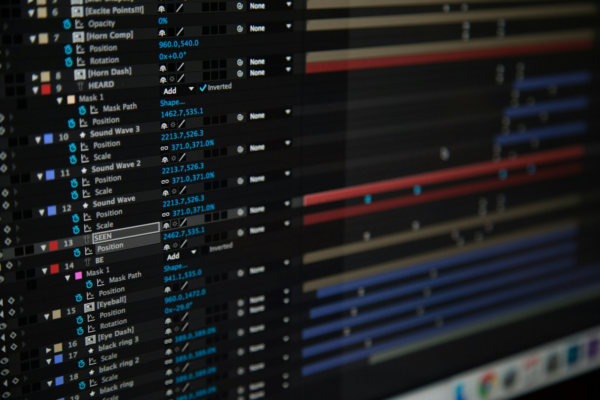
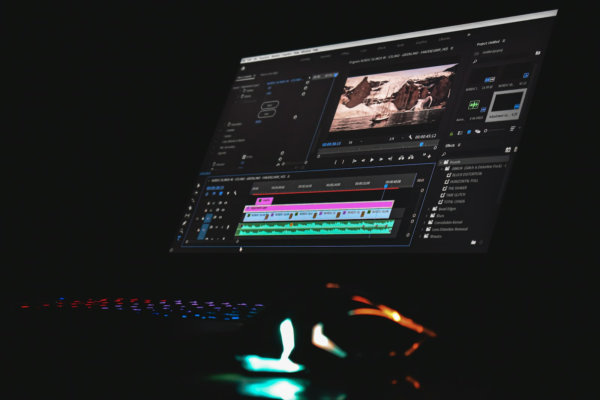
Motion design software has transformed how designers create animated titles, visual effects, explainer videos, branded content, and engaging digital experiences. Applications such as Adobe After Effects, Premiere Pro, and Cinema 4D provide powerful tools for animation and compositing. However, even professional software cannot meet every creative requirement out of the box. Plugins, scripts, extensions, and preset libraries help designers extend their capabilities, automate repetitive tasks, and produce polished results more efficiently.
Plugin marketplaces have become an important part of the motion design industry. They connect software developers with designers who need specialist effects, animation tools, workflow improvements, and production-ready assets. For freelancers, studios, and video professionals, understanding these ecosystems can reduce production time and open up new creative possibilities. Learning to select and use plugins effectively is also a valuable practical skill for anyone developing a career in video design.
Lets Dive In
Understanding Plugin Ecosystems in Motion Design
A plugin ecosystem is the collection of third-party tools, marketplaces, developers, and learning resources that extend a particular software application. These tools can add features that are missing from the original application or make existing processes faster and easier.
In motion design, plugins range from sophisticated particle simulations and advanced tracking systems to simple utilities that organize layers or automate keyframes. Some are designed for a specific application, while others support multiple video editing and compositing environments.
It is important to distinguish plugins from related tools. A plugin usually adds functionality within a host application. A script automates actions or introduces new commands, while an extension can provide a separate interface for controlling tools and assets. Presets store reusable settings for effects, transitions, or animations. Although these categories overlap, understanding the differences helps designers find the right solution for each task.
The ecosystem is particularly visible around Adobe After Effects, where third-party developers offer tools for animation, compositing, motion tracking, typography, and visual effects. Adobe provides an official guide to third-party After Effects plugins, which is a useful starting point for exploring supported tools.
Why Plugin Marketplaces Matter
Plugin marketplaces make it easier to discover tools that address specific production challenges. Rather than searching through unrelated websites, designers can explore collections organized by application, function, price, and developer.
One established destination is aescripts + aeplugins, which offers scripts and plugins for applications including After Effects, Premiere Pro, and Cinema 4D. Its catalogue covers workflow automation, animation, compositing, and creative effects. This breadth makes it useful for designers who want to improve everyday production tasks as well as expand their visual capabilities.
Another option is Adobe Exchange, which provides a marketplace for extensions and other tools across Adobe’s software ecosystem. Adobe also operates the Creative Cloud Marketplace for supported plugin distribution. These resources can help users discover tools that integrate with their existing applications.
For specialist visual effects, Maxon develops and distributes products such as Red Giant tools for effects, compositing, color work, and motion graphics. Other developers focus on narrower needs, including rigging, physics-based animation, layer management, or transferring assets between design applications.
These marketplaces serve more than a shopping function. They help designers discover new production techniques, compare competing tools, learn from demonstrations, and identify solutions that other professionals use. Many developers also provide tutorials, documentation, and example projects that make it easier to apply a plugin in real work.
The Main Types of Motion Design Plugins
Visual Effects and Compositing
Visual effects plugins add treatments that can be difficult or time-consuming to build manually. These include glow effects, atmospheric lighting, stylized distortions, particles, lens effects, and advanced compositing tools.
For example, particle systems can generate thousands of moving elements for a product animation, title sequence, or abstract background. Specialist compositing tools can help blend layers, refine visual treatments, or create more convincing interactions between foreground elements and their environments.
The productivity benefit comes from having a reusable, controllable tool rather than rebuilding a complex effect for every project. Designers can adjust parameters, save presets, and adapt an established technique to new creative briefs.
However, a plugin does not automatically guarantee a professional result. Designers still need to understand lighting, color, timing, composition, and visual hierarchy. The strongest results combine technical tools with sound design principles.
Animation and Motion Tools
Animation plugins and scripts can simplify keyframing, easing, rigging, and procedural movement. Instead of adjusting every element individually, designers can use reusable controls to animate groups of objects or create consistent movement across a composition.
Tools for character rigging, for example, can simplify the process of connecting limbs and controlling movement. Physics-based animation tools can create bouncing, collisions, and other interactions without requiring every movement to be keyframed manually.
These features are particularly valuable in explainer videos, animated infographics, social media campaigns, and branded content. Such projects often contain repeated elements that need to move consistently while remaining easy to revise.
Animation utilities can also help designers refine timing and easing. Smooth movement depends on how an object accelerates, slows down, and responds to other elements. Plugins can make these adjustments quicker, but the designer must still decide what movement best communicates the message.
Typography and Text Animation
Animated typography is widely used in advertising, product videos, title sequences, presentations, and online content. Text tools can help designers create kinetic typography, animated captions, title treatments, and reusable lower thirds.
Some tools provide ready-made animation systems, while others automate the splitting, sequencing, or staggered movement of text layers. These capabilities are useful when a project requires many variations of the same design.
For example, a marketing team might need several versions of an animated title for different products, audiences, or social platforms. A reusable text system makes it easier to maintain consistent styling while changing the wording and timing.
Designers should still check readability, contrast, and pacing. Excessive movement can distract viewers, particularly when text contains important instructions or information.
Workflow Automation and Asset Management
Some of the most useful plugins do not produce a dramatic visual effect. Instead, they reduce the time spent managing layers, naming files, arranging compositions, importing assets, or preparing projects for delivery.
Workflow scripts can automate repetitive operations and reduce the number of manual steps involved in common tasks. Asset libraries and preset managers can make frequently used elements easier to locate and apply.
These improvements may appear small in isolation. Across a busy production schedule, however, removing repeated manual actions can save meaningful amounts of time and reduce avoidable mistakes.
For freelancers and small studios, workflow tools can be especially valuable because they improve efficiency without necessarily requiring additional staff.
How Plugins Enhance Productivity
Reducing Repetitive Work
The most immediate productivity benefit comes from automation. If a designer repeatedly performs the same sequence of actions, a script or plugin may be able to complete some or all of that work automatically.
Consider a project containing multiple animated titles. Creating each title manually may require repeated layer setup, keyframe adjustments, effect application, and timing changes. A reusable tool can standardize much of this process, leaving the designer to focus on content and creative decisions.
Automation is most effective when the task is predictable and repeated frequently. For one unusual shot, building a custom workflow may take longer than completing the work manually. The value increases when the same process is used across many shots or projects.
Improving Creative Consistency
Plugins and presets can help teams maintain a consistent visual identity. A studio might use shared tools for transitions, color treatments, typography, or animation timing. This creates a more predictable starting point for each project.
Consistency is particularly important for businesses producing recurring video content. Product launches, social media campaigns, training videos, and branded explainers often require multiple assets that must look and feel connected.
A shared plugin setup can reduce variations caused by different working methods. However, presets should not replace creative judgment. Teams need room to adapt treatments to each brief rather than applying identical effects to every project.
Making Complex Effects More Accessible
Specialist plugins can give designers access to techniques that would otherwise require advanced technical knowledge or extensive manual work. A well-designed interface may make complex simulations, tracking operations, or compositing workflows more manageable.
This does not eliminate the need to understand the underlying principles. Designers still need to recognize when an effect is appropriate, troubleshoot problems, and refine the result. Nevertheless, a specialist tool can shorten the path from an idea to a workable first version.
For people developing their skills, this creates an opportunity to experiment with techniques that might otherwise feel difficult to approach.
Supporting Faster Revisions
Client feedback is a normal part of video production. A title may need to change, a product color may be updated, or an animation may need to fit a different aspect ratio.
Reusable systems can make these changes easier. If a composition is built around editable controls and organized presets, a designer may be able to update several elements without rebuilding the animation from scratch.
The greatest benefit comes from combining plugins with good project organization. Clearly named layers, reusable templates, sensible folder structures, and documented settings make projects easier to maintain and hand over.
Improving the Overall Production Pipeline
A plugin can be useful beyond the immediate creative task. Some tools help transfer assets between applications, simplify handoffs, or standardize elements used by different team members.
A motion designer may create artwork in a design application, animate it in After Effects, and finish the edit in Premiere Pro. Tools that support this workflow can reduce manual transfers and help preserve consistency.
Before adopting a plugin, designers should check which applications and versions it supports. A tool that works well in one part of the pipeline may not integrate with every other application the team uses.
Choosing the Right Plugin Marketplace
The best marketplace depends on the software, task, budget, and level of support required. A large catalogue offers variety, but the number of available tools can also make selection more difficult.
Start by identifying the production problem. Is the goal to create a particular visual effect, speed up repetitive animation, improve asset management, or simplify delivery? A clear requirement makes it easier to compare tools on their actual value rather than their promotional demonstrations.
Next, confirm compatibility. Check the supported software versions, operating systems, hardware requirements, and any dependencies. This is particularly important when a studio uses several computers or needs to share projects with clients and collaborators.
Documentation and support should also influence the decision. A plugin with clear instructions, useful tutorials, and a reliable update history may be more valuable than a cheaper alternative that is difficult to troubleshoot. Check user reviews carefully, looking for recurring comments about stability, usability, and customer support.
Finally, consider the licensing model. Some plugins are free, while others use one-time payments, subscriptions, or tiered licensing. Determine whether the licence covers commercial work, multiple machines, or team use. A trial or demo can help establish whether the plugin fits the workflow before committing to a purchase.
Free Plugins Versus Paid Tools
Free plugins can be an excellent way to explore new techniques without increasing production costs. They may offer practical utilities, useful presets, or specialist features that improve everyday work. Some free tools are also supported by active developer communities.
Paid plugins may offer more advanced functionality, frequent updates, technical support, or a broader collection of effects. These benefits can be worthwhile when a tool solves a recurring problem or enables work that would otherwise be expensive to produce.
Price alone is not a reliable measure of value. A free script that saves several minutes on every project may be more valuable than an expensive effects package that is rarely used. Equally, a premium plugin can justify its cost when it substantially reduces production time or improves the quality of deliverables.
A sensible approach is to begin with the tools already included in the main application. Then identify specific limitations and test plugins that address them. This prevents unnecessary purchases and helps keep the software environment manageable.
Evaluating the Return on Investment
Plugin purchases should be assessed in terms of both time savings and creative value. A practical calculation can help determine whether a tool is worth adopting.
Suppose a plugin costs $120 and saves 20 minutes on each of 30 projects. It saves 10 hours of work in total. If the designer values productive time at $40 per hour, those saved hours represent $400 in potential time value. The calculation suggests a strong return, provided the time is genuinely saved and can be used productively.
This is an illustrative example, not a guarantee of financial return. Real results depend on how often the tool is used, the time required to learn it, and whether it introduces new costs or complications.
Designers should also consider indirect benefits. A plugin may make it possible to offer a new service, meet a tighter deadline, create more variations, or improve the consistency of deliverables. These benefits can matter even when they are difficult to express as a simple hourly saving.
The key is to evaluate tools against actual production needs. Keep track of which plugins are used regularly and which remain unused after the initial experiment. That information can guide future purchases and subscription decisions.
Managing Plugin Compatibility and Reliability
A growing plugin collection can introduce technical challenges. Different tools may require different software versions, use separate licensing systems, or depend on components that are not installed on every workstation.
Compatibility should therefore be checked before a plugin is used on a deadline-sensitive project. Review the developer’s requirements and test the tool in a copy of the project before introducing it into production.
Performance is another consideration. Some effects require substantial processing power, memory, or rendering time. A plugin may speed up one task but slow down previews or final exports. Testing it on representative footage helps reveal these trade-offs.
Teams should maintain a record of the plugins used in important projects. This is particularly useful when projects need to be reopened months later or transferred to another designer. Documenting plugin names and versions can prevent missing-effect warnings and unexpected changes.
Security and licensing matter too. Download tools from the developer or a reputable marketplace, keep software updated, and avoid unverified installers. For professional work, confirm that all required licences cover the intended use.
Building a More Efficient Plugin Workflow
The strongest plugin workflow starts with a clear process rather than a large collection of tools. Designers should identify the tasks they perform most frequently and determine which ones are worth automating.
A practical starting point is to create a small, well-tested toolkit. This might include one or two animation utilities, a reliable asset or preset manager, and specialist effects that directly support the designer’s typical projects. The exact selection will vary between motion graphics, advertising, social content, and visual effects work.
Once a tool is selected, invest time in learning its important features. Read the documentation, follow tutorials, and test it on a small project before relying on it for paid work. Learning shortcuts, reusable controls, and custom presets can make a greater difference than simply installing the plugin.
It is also useful to standardize frequently repeated tasks. Save approved presets, create reusable project templates, and document settings that other team members need to understand. These practices turn individual time savings into repeatable improvements across a team.
Finally, review the toolkit regularly. Remove tools that are no longer compatible or useful, check licences before renewal, and test updates before introducing them into critical projects. A smaller, dependable toolkit is often more productive than a large collection of overlapping plugins.
Career Opportunities and Skills Development
Knowledge of plugin ecosystems can strengthen a motion designer’s professional skill set. Employers and clients value people who can produce polished content, manage deadlines, respond to feedback, and work efficiently within established production pipelines.
Understanding plugins supports these goals by helping designers solve problems independently and select tools that suit the project. It can also broaden the range of services a freelancer offers, from animated branding and product videos to explainers, title sequences, and social media content.
However, plugin familiarity should sit alongside core skills. A designer still needs a strong understanding of composition, typography, timing, color, storytelling, and animation principles. These fundamentals make it possible to judge whether a plugin’s output actually improves the work.
Online learning provides a practical way to develop these skills. Courses focused on After Effects, animation principles, compositing, and production workflows can help learners build a solid foundation before exploring specialist tools. Project-based practice is particularly useful because it encourages learners to apply techniques, solve problems, and create portfolio pieces.
For career changers and working professionals, the most effective learning path combines structured training with independent experimentation. Build a short animation, identify a task that could be improved, test a plugin, and compare the results. This creates evidence of both creative ability and practical problem-solving.
Recommended Online Courses for Motion Design
The following courses provide a foundation for working more confidently in motion design software and developing efficient production workflows. They cover core After Effects skills, professional workflow techniques, and broader motion design principles.
The Complete After Effects CC Course: Beginner to Advanced
Platform: Udemy
Level: Beginner to Advanced
Focus: Motion graphics, visual effects, compositing, and practical After Effects projects
This project-oriented course covers key After Effects techniques, including animation, compositing, tracking, and visual effects. It is a useful option for learners who want a broad foundation before investing in specialist plugins.
The course listing has reported a 4.7/5 rating and more than 200,000 students, although ratings and enrolment figures can change.
After Effects Insider
Platform: School of Motion
Level: Intermediate
Focus: Workflow optimization, reusable templates, advanced techniques, and project organization
This course is aimed at designers who already understand After Effects and want to work faster and more confidently. It covers interface customization, templates, advanced typography, compositing, and production practices.
These skills are especially relevant when deciding how plugins can fit into a reliable, repeatable workflow. Check the current access and membership terms before enrolling.
Adobe After Effects Learning Resources
Platform: Adobe
Level: Beginner to Advanced
Focus: After Effects fundamentals, animation, effects, and application workflows
Adobe’s learning resources provide a useful way to reinforce the fundamentals and understand the host application before adding third-party tools. Learning the native features first helps designers identify where a plugin genuinely adds value and where the same result can be achieved without extra software.
This is a practical supplementary resource rather than a single, separately certified course.
Explore Adobe After Effects tutorials and learning resources
Final Thoughts
Plugin ecosystems have become an important part of modern motion design, giving video professionals access to specialist effects, animation systems, workflow automation, and reusable creative assets. Marketplaces such as aescripts + aeplugins, Adobe Exchange, and specialist developer platforms make it easier to find tools that extend the capabilities of established software.
The greatest benefit comes from choosing plugins strategically. Tools that automate repetitive work, simplify revisions, improve consistency, or enable otherwise difficult effects can make a meaningful difference to production efficiency. However, compatibility, performance, licensing, and long-term support should all be considered before a plugin becomes part of a professional workflow.
For aspiring and experienced designers alike, learning to evaluate and use plugins is a practical way to improve both technical confidence and creative output. Combined with strong animation fundamentals and structured online learning, these skills can help motion designers build better projects, deliver work more efficiently, and strengthen their career opportunities in video design.