Intro
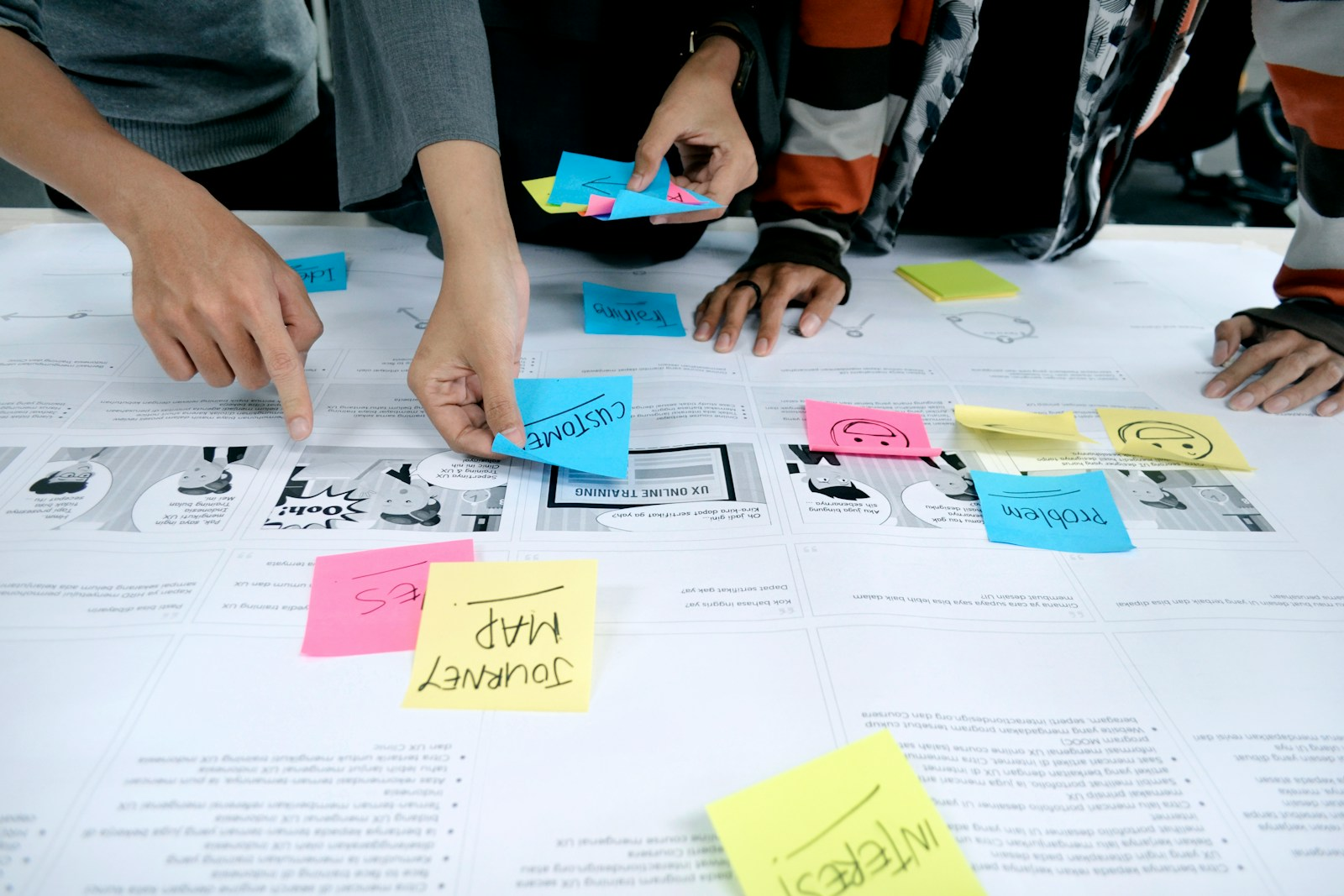
User experience (UX) design has evolved far beyond creating visually appealing interfaces; it now encompasses the seamless orchestration of research, design, and collaboration across global teams. As organizations adopt hybrid and remote work models, the need for efficient, asynchronous collaboration in UX workflows has become more critical than ever. Modern UX platforms, powered by cloud technology and AI-assisted features, allow designers, researchers, and product managers to co-create user-centered solutions without being limited by time zones or geographic boundaries. This transformation is reshaping how design teams communicate, iterate, and innovate, making collaborative UX workflows an essential factor for product success in 2026.
The rise of asynchronous tools, integrated feedback systems, and intelligent collaboration features has also elevated the way teams document, share, and act on design decisions. Designers can now provide context-rich feedback, maintain version histories, and track project evolution seamlessly, ensuring clarity and accountability. By bridging gaps between disciplines and locations, these tools empower UX teams to deliver more inclusive, user-focused experiences while optimizing productivity. As a result, understanding the trends in collaborative UX workflows is not only a practical necessity for design professionals but also a strategic advantage for organizations striving to stay competitive in an increasingly digital, global marketplace.
Lets Dive In
The Shift to Global and Hybrid UX Workflows
The traditional paradigm of UX design was anchored in co‑located teams and live, synchronous collaboration. Designers would huddle around whiteboards, sit beside developers to iterate code and prototypes, and gather stakeholders in meeting rooms to validate user journeys. Over the past decade, and especially following the rise of remote work, these models have given way to more flexible, global UX workflows that span continents and time zones. Distributed teams bring diverse perspectives and richer user insights, but they also introduce complexity in coordination and communication. This is where asynchronous collaboration becomes a linchpin for success.
Asynchronous workflows allow team members to contribute to design processes without requiring everyone to be online simultaneously. UX teams can document research insights, annotate prototypes, organize feedback threads, and iterate on interface layouts independently of scheduled meetings. Rather than relying exclusively on Zoom critiques or real‑time workshops, designers use cloud‑native collaboration tools that keep work in motion regardless of time differences. This not only maximizes productivity but also fosters inclusivity, allowing team members to engage thoughtfully and intentionally when it suits their schedules.
In a globally distributed ecosystem, asynchronous collaboration empowers teams to work smarter and more sustainably. It reduces the friction caused by rigid meeting times, cuts down on redundancy, and preserves contextual clarity by anchoring discussions directly to design artifacts. As UX roles continue to diversify and cross‑disciplinary interaction becomes the norm, async collaboration tools are emerging as the connective tissue that holds modern workflows together.
Understanding Asynchronous Tools in UX Collaboration
At its core, asynchronous UX collaboration refers to the ability for team members to engage with design work independently and on their own timelines, without disrupting overall project momentum. This is made possible by a suite of tools and platforms that facilitate remote design, real‑time prototyping, collaborative feedback, and seamless version control. These tools enable global teams to communicate effectively, share insights, and track contributions — all without the need for constant synchronous alignment.
One of the fundamental advantages of async tools is that they preserve context. Instead of exchanging back‑and‑forth emails or messages that quickly lose relevance, UX teams can leave comments directly on a design screen, reference user research artifacts in shared dashboards, or record video explanations of design rationale. This contextualization enhances clarity and reduces misinterpretation. For example, rather than sending a message saying “change this button,” a designer can annotate a prototype screen to show exactly what needs attention and why. This clarity accelerates decision‑making, strengthens collaboration, and reduces cognitive load for team members juggling multiple projects.
Asynchronous collaboration is not limited to design stages alone; it encompasses the entire UX lifecycle, including user research, ideation, prototyping, usability testing, and handoffs to development. Tools that support async workflows track changes in real time, log commentary, and allow for iteration logs that become a living history of the project. This boosts transparency and enables every contributor to understand the evolution of a design, even if they join the project midstream.
Furthermore, modern async tools often integrate with project management systems, reducing context switching and keeping design conversations aligned with broader product timelines. Integrations with documentation platforms, task boards, and messaging channels ensure that UX deliverables are visible and actionable across functional teams. In essence, asynchronous UX collaboration is not simply about communication; it is about creating a resilient and adaptable workflow that empowers teams to produce better experiences together.
Modern UX Platforms and Collaboration Features That Matter
Today’s collaborative UX platforms aren’t just repositories for files — they are dynamic workspaces designed to support creativity, alignment, and shared ownership of design outcomes. As organizations embrace cloud technologies, platforms with built‑in collaboration features are propelling UX workflows forward in remarkable ways.
One of the most significant trends in collaborative UX platforms is the integration of real‑time co‑authoring and simultaneous editing. Designers and stakeholders can work on the same canvas at the same time, see each other’s cursors, and build user flows interactively. This capability blurs the line between synchronous and asynchronous engagement, creating a fluid experience where team members can drop in, contribute, and move on without disrupting the workflow.
Embedded commenting, threaded feedback, and contextual annotations are another cornerstone of collaborative UX platforms. Instead of abstract conversations detached from design content, teams now have the ability to leave comments directly on screens, flows, and research boards. These annotations become part of the project record, which is especially useful for design critiques, stakeholder approvals, and historical reference.
Advanced version control and branching mechanisms have also made their way into UX platforms. Similar to code repositories, designers can create branches of design systems and prototypes, test alternative solutions, and merge changes once decisions are finalized. This feature mitigates the fear of overwriting someone else’s work and supports experimentation without risk.
With the rise of cross‑functional collaboration, UX platforms increasingly support role‑based permissions and workflow governance. Product managers, developers, and researchers can be granted tailored access to design artifacts, enabling them to engage with content that is relevant to their contributions. This facilitates alignment and reduces bottlenecks that traditionally occur when teams must wait for design handoffs or approvals.
Another transformative trend lies in the integration of voice, video, and multimedia feedback. Instead of typing long text comments, team members can record quick video or voice notes that convey tone, nuance, and design intent. These features bring a human touch to remote collaboration and help bridge gaps that text alone can’t fill, especially in complex design debates.
Artificial intelligence is also becoming a native collaborator in UX platforms. Generative AI assistants can offer layout suggestions, provide accessibility recommendations, identify potential usability issues, and help automate routine tasks. When integrated thoughtfully, these AI features augment designer creativity and free up human intellect for higher‑order conceptual thinking.
Benefits of Asynchronous Collaboration for UX Teams
Asynchronous collaboration unlocks several impactful benefits that directly contribute to the success of UX projects. First and foremost, async workflows break the dependency on shared calendars and meeting schedules. Global teams can move work forward independently without waiting for synchronous alignment. This is particularly important as organizations adopt hybrid and remote work models where team members span multiple time zones.
By enabling work to continue beyond a central meeting time, asynchronous tools improve productivity. Designers can focus during their most creative hours, researchers can explore insights without interruption, and product managers can plan roadmaps with clarity. Async collaboration reduces the frequency of status meetings and replaces redundant catch‑ups with documented, accessible design discussions.
Another key benefit is documentation and knowledge retention. In traditional workflows, many decisions happen in verbal meetings or informal chats, which often leave little trace. Async collaboration tools preserve conversations, annotate decisions, and provide searchable context. This visibility becomes essential for onboarding new team members, revisiting earlier decisions, or conducting design retrospectives.
Asynchronous workflows also promote inclusivity. Team members who may feel less comfortable speaking up in live sessions have the opportunity to contribute thoughtfully in written or recorded formats. Designers working from different cultural backgrounds or with varying communication styles can express their perspectives in ways that align with their strengths. This leads to richer collaboration and stronger design solutions.
Furthermore, UX teams that adopt async collaboration report reduced meeting fatigue. Constant video calls can drain cognitive energy and fragment attention. By shifting certain interactions — such as feedback sharing, design critiques, and progress updates — into asynchronous spaces, teams can preserve deep focus and reduce burnout.
From an organizational perspective, async collaboration enables cross‑disciplinary ownership. Developers can comment on design implications, researchers can link user data to artifacts, and product owners can align business goals with UX workflows — all within the same platform. This holistic engagement strengthens alignment and minimizes last‑minute surprises.
Implementing Effective Asynchronous UX Workflows
Transitioning to async collaboration requires more than just adopting new tools; it demands intentional workflow design and a culture that supports independent contribution. Teams that succeed in async workflows emphasize clarity, context, and cadence.
Clarity means making sure every deliverable, comment, and design artifact is contextualized. Designers should provide written or multimedia explanations for complex decisions, link research insights directly to prototypes, and maintain organized documentation structures. Clear naming conventions and version labels help collaborators understand where work stands at any moment.
Context is equally important. UX teams should capture rationale, user insights, and design constraints alongside artifacts. Without context, async feedback risks becoming superficial or misaligned. Contextual collaboration improves feedback quality, reduces needless back‑and‑forth, and ensures that every contributor understands the “why” behind decisions.
Cadence refers to the rhythm of how teams engage with async workflows. Regular check‑ins — whether weekly design reviews, asynchronous sprint updates, or iteration summaries — keep momentum without overwhelming contributors. Teams should balance async engagement with occasional synchronous alignment sessions, especially for strategic planning or collective brainstorming.
Another key practice is integrating async tools with project management systems. Designers should link prototypes, UX research findings, and task dependencies to shared boards so that cross‑functional collaborators can see the full landscape of work. By aligning design tools with broader product workflows, organizations can reduce siloing and enhance shared responsibility.
Finally, fostering a culture that values asynchronous contributions is essential. Teams must recognize and reward thoughtful async engagement, treat comments as first‑class contributions, and establish norms that encourage respectful, timely feedback. Leadership support and clear expectations help teams adopt async workflows confidently and consistently.
Top Online Courses to Upskill UX Designers in 2026
As collaborative UX workflows evolve, designers must continue to upskill. The demands of async collaboration, complex tooling, and integrated design thinking make ongoing education essential. Below are top online courses that are especially relevant for UX professionals in 2026, helping them build expertise in collaborative UX design, remote workflow mastery, and future‑ready methodologies.
One standout option is “UX Design in Practice: Accessibility and Collaboration” on Coursera. This course covers core UX principles while emphasizing accessible design and cross‑functional collaboration. Designers learn how to work effectively with remote teams, integrate user feedback, and create accessible experiences that are inclusive and human‑centered.
Another highly reputable and comprehensive program is the “Interaction Design Specialization” by the University of California San Diego on Coursera. This specialization delves deeply into interaction design, user research, prototyping, usability testing, and human‑computer interaction. Taught by academic experts and backed by rigorous hands‑on projects, this course helps designers refine their technical and strategic skills for complex UX challenges.
Additionally, courses blending product thinking and AI‑augmented design are essential for forward-looking UX professionals. These programs introduce designers to AI-assisted tools, automation workflows, and strategies for integrating user research into scalable systems. A top recommendation is AI for UX Design and Product Design with Designlab, an intensive program teaching how to apply AI across UX workflows, from research and ideation to prototyping, with portfolio projects and expert mentor feedback. Mastering both UX fundamentals and AI-enhanced design practices equips designers for leadership roles in complex, multidisciplinary teams.
While formal courses are valuable, UX practitioners can also benefit from cohort‑based workshops and community‑driven learning platforms. These environments simulate real‑world collaboration, expose learners to diverse perspectives, and provide hands‑on experience with async workflows and modern tools.
Final Thoughts
Collaborative UX workflows are no longer optional—they are foundational to the success of modern design teams. Asynchronous tools and advanced UX platforms allow teams to co-create and iterate on designs efficiently, regardless of time zones or work arrangements. By enabling context-rich communication, structured documentation, and integrated AI-assisted workflows, these technologies help designers maintain momentum, reduce friction, and foster inclusive collaboration. In 2026, mastering these tools and practices is essential for delivering high-quality, user-centered digital experiences that meet the demands of a global audience.
The future of UX lies in the intersection of collaboration, technology, and human-centered design. Designers who embrace asynchronous workflows and adopt the latest platform features will not only enhance productivity but also improve design outcomes through richer feedback loops and more informed decision-making. By investing in continuous learning and upskilling through leading online courses, UX professionals can stay ahead of emerging trends and lead the charge in building seamless, engaging, and globally collaborative user experiences. Collaborative UX workflows, when executed thoughtfully, transform both the process and the impact of design, setting the standard for innovation and excellence in digital products.